
Migrate from Freshteam to 100Hires
Freshteam renewals stopped June 7, 2026. Export before your account window closes. Annual Pro includes free managed migration after export and scope review.






Do not let your Freshteam download window expire
Freshworks says it is sunsetting Freshteam and that all renewals stopped June 7, 2026. That is not one universal shutdown date. Check the subscription end date and account type in your own workspace.
Paid accounts can download data for 90 days after expiry. Free accounts can download for 14 days after expiry. Active-account access differs from post-expiry download eligibility.
Free annual-Pro migration starts with your Freshteam export
100Hires offers free managed migration for annual Pro customers after the available Freshteam export and requested scope are reviewed. The supported result still needs field mapping, a test, approval, and customer verification.
Starting a 100Hires trial lets your team evaluate the destination ATS. It does not confirm migration eligibility, supported objects, field coverage, timing, or scope.
Choose the import path that matches the data you have
| Path | What it is | What must be checked |
|---|---|---|
| Managed migration | Free managed migration for annual Pro customers after export and scope review | Available export, requested records, field mapping, test result, and customer verification |
| Candidate CSV import | Self-service import with column mapping and error review | The candidate fields present in the CSV and how they map into 100Hires |
| Bulk resume upload | Self-service upload and parsing for PDF or DOC resumes | The files available and the candidate fields created from each document |
The practical sequence is: review, map and test, approve and import, then verify. 100Hires does not assume that every Freshteam object, file, activity, or broader HR record can move into an ATS.
The review starts with the export available in your account and the recruiting records your team needs next. That gives 100Hires a concrete source to review before approving a supported import route.
List the active jobs, candidates, pipeline stages, notes, scorecards, files, and owners your team must find on day one. Mark records needed for retention or reference so the test can focus on the records your team will use.
Compare the test result with a short acceptance list: record count, required fields, attachments, job and stage assignment, and access for the recruiters who will verify the move.
Separate recruiting requirements from employee, payroll, leave, onboarding, and offboarding records. 100Hires can confirm ATS scope, and your team can choose another system for HR data that does not map to the ATS.
Compare the Freshteam source with the 100Hires destination
| Decision point | 100Hires after the move | Freshteam source or status |
|---|---|---|
| Product continuity | Active AI-first recruiting ATS with current public product and pricing pages | Freshworks says Freshteam is being sunset; all renewals stopped June 7, 2026 |
| Public pricing | Plans from $49/mo.; plan limits and AI quotas apply | Current numeric pricing was not publicly displayed in the captured official source |
| Recruiting workflow | Jobs, candidate records, configurable pipelines, evaluations, communication, automation, and reporting | Historical official materials document recruiting workflows; current use depends on account access during sunset |
| AI candidate review | AI Score produces a score from 0 to 100 based on recruiter-defined criteria and weights for human review | A current comparable scoring workflow is not publicly verified in the captured official sources |
| Candidate-context assistant | AI Copilot analyzes available candidate and job context to assist recruiter review | A current comparable candidate assistant is not publicly verified in the captured official sources |
| Contact enrichment | Contact Finder uses connected providers on the Pro plan to try to find selected email addresses or phone numbers | A current comparable provider-based enrichment workflow is not publicly verified in the captured official sources |
| Drafting and follow-up | AI Email Composer creates editable drafts; Nurture Campaigns run separate multi-step sequences | Current communication and automation parity is not publicly verified in the captured official sources |
| Available source | 100Hires reviews the export or files available before confirming scope | The Freshteam sunset FAQ documents an account export path; actual account availability controls the source |
| Managed migration | Free managed migration for annual Pro customers after export and scope review | No source object or destination mapping is assumed before review and testing |
| Broader HR data | 100Hires is a recruiting ATS, not a full HRIS, payroll, leave, onboarding, or offboarding replacement | Freshteam export groups can include recruiting plus employee, payroll, leave, onboarding, and offboarding data |
Freshteam is a trademark of Freshworks. 100Hires is an independent service and is not affiliated with or endorsed by Freshworks.
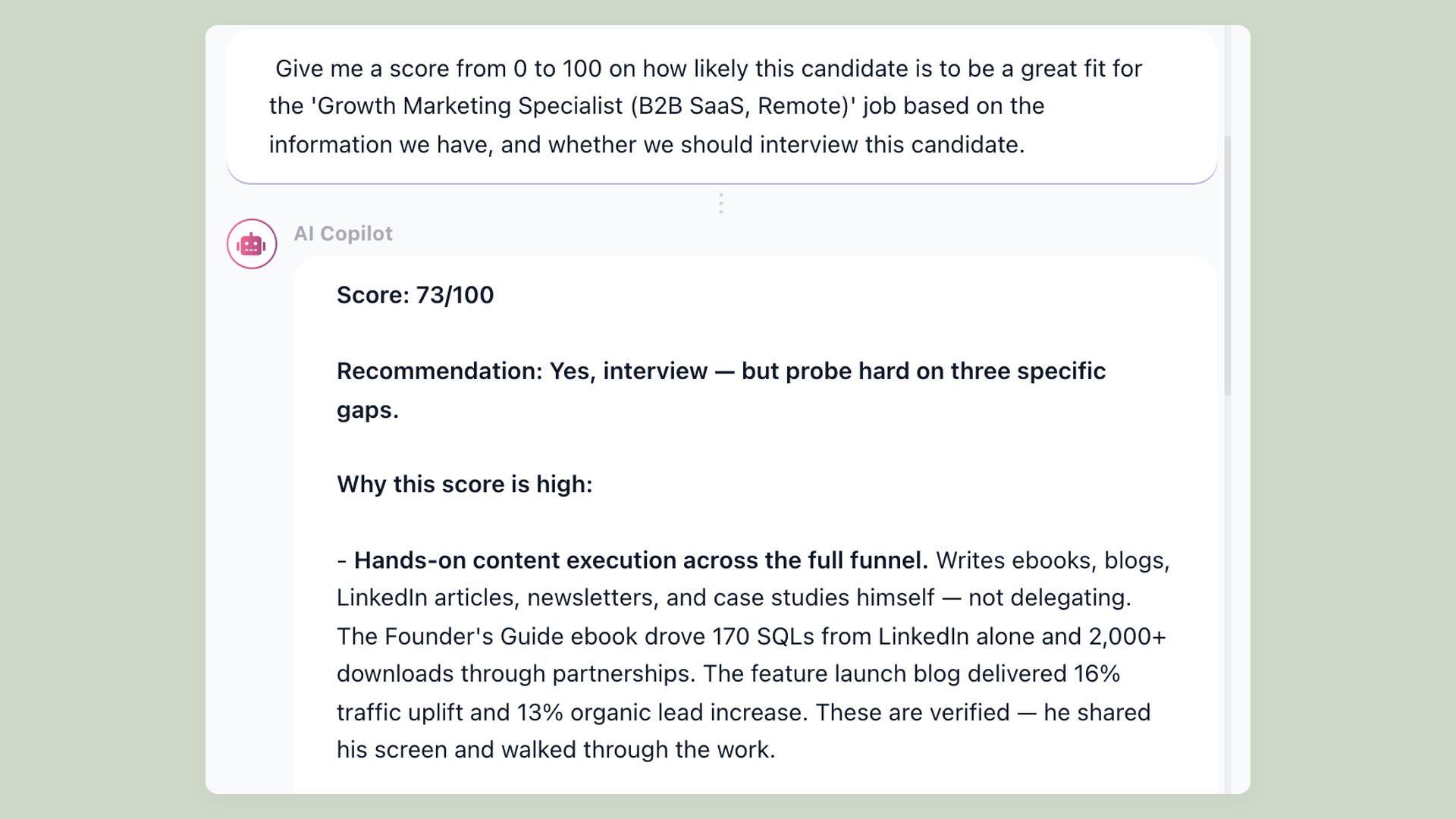
Review imported candidates with AI Score
After supported records enter 100Hires, AI Score can evaluate each candidate against criteria and weights defined for the role. It produces a score from 0 to 100 based on the evidence available in the destination record.
AI Score supports prioritization and recruiter review. It does not recreate source history that was not imported or make the hiring decision. AI usage is subject to plan quotas. See the AI resume screening workflow.
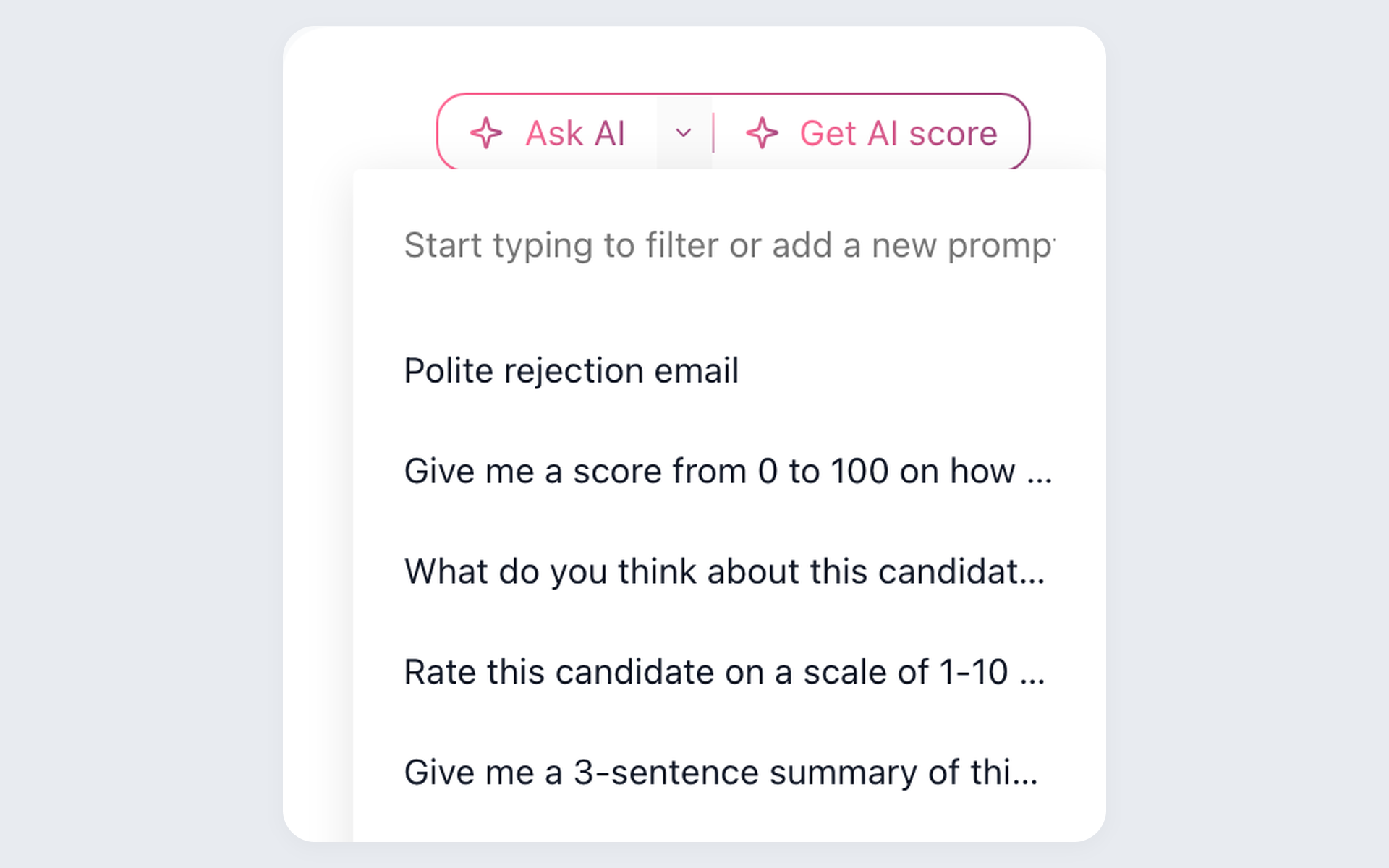
Ask AI Copilot about the record in front of you
AI Copilot can analyze resume and profile data, application answers, notes, messages, evaluations, supplied interview transcripts, and job context that are available in 100Hires.
- Available destination context
- Reusable recruiter prompts
- Human decision
AI Copilot cannot create missing Freshteam data or make the hiring decision. Its usefulness depends on the supported candidate and job context available after import.
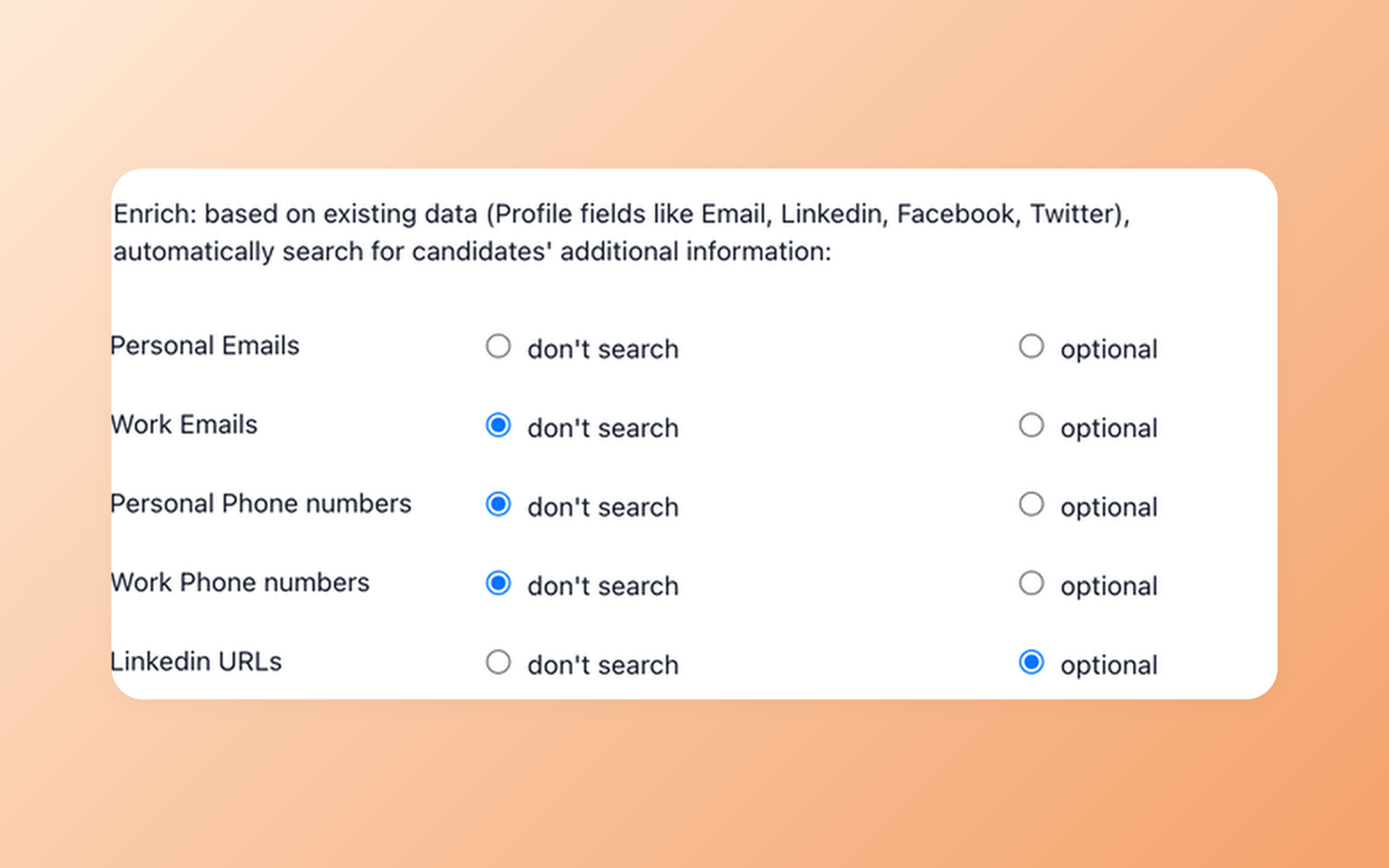
Build a reachable pipeline beyond imported applicants
Contact Finder can ask connected enrichment providers for selected contact fields and save available results to the candidate record. Availability varies, and a match is not guaranteed.
- Provider-based enrichment
- Selected contact fields
- No match guarantee
Contact Finder is available on the Pro plan and is not a proprietary candidate database. The personal email finder page explains how available results stay attached to the ATS record.
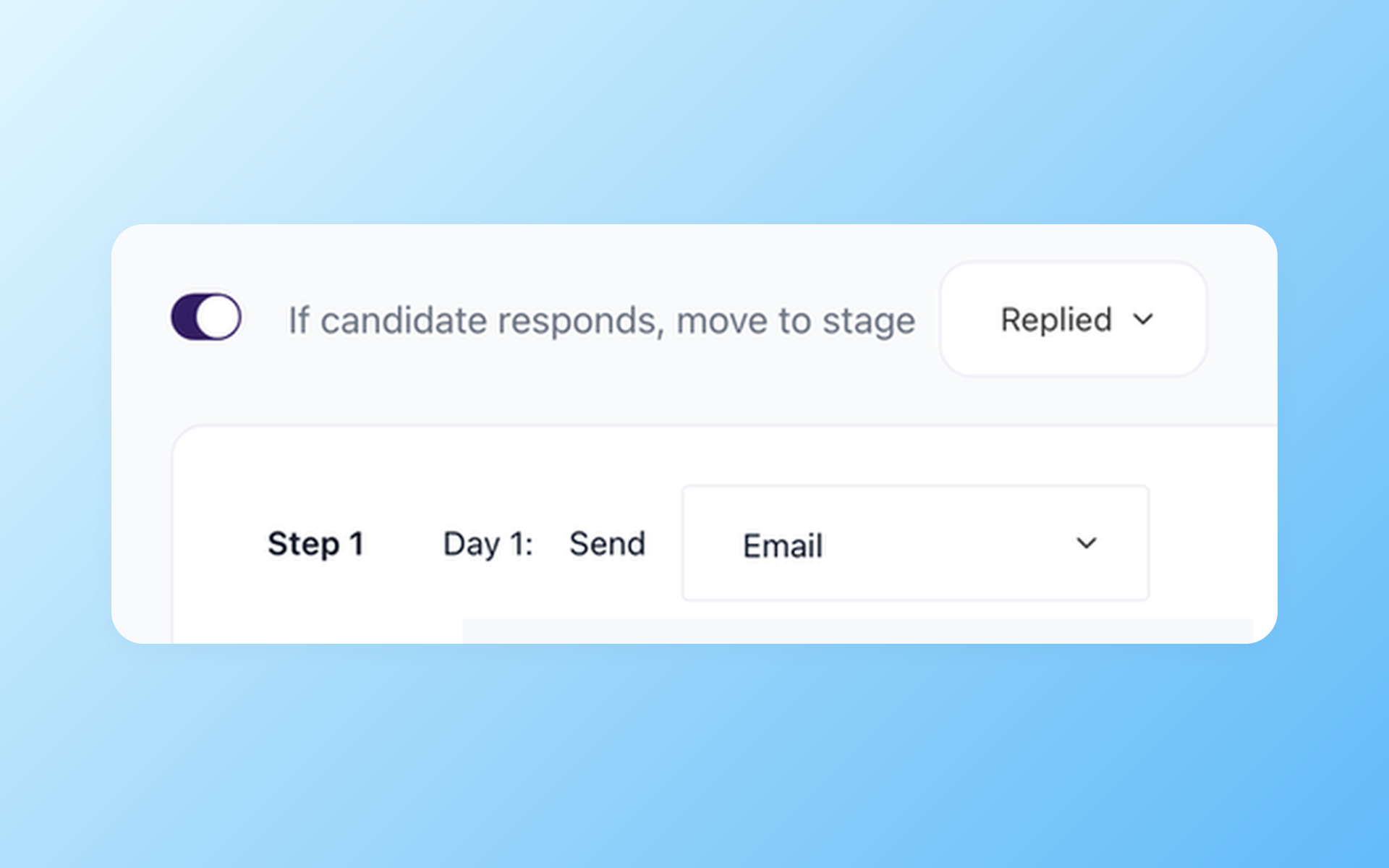
Draft outreach and keep follow-up moving
AI Email Composer prepares an editable candidate-aware draft. Nurture Campaigns handle separate scheduled steps across email, SMS, voicemail, or actions and can stop after a reply.
- Editable message drafts
- Scheduled multi-step follow-up
- Reply-aware stopping
100Hires does not guarantee delivery or responses. Explore how recruitment automation software keeps AI drafting distinct from later follow-up.
Know which Freshteam records need another destination
The Freshteam account export can include candidate, job, requisition, offer, interview, employee, onboarding, offboarding, payroll, task, leave, location, and vendor groups.
100Hires is designed for recruiting. Employee administration, payroll, leave, and other HRIS records may not map one-to-one and may need another destination. Review the actual export before deciding scope.
100Hires does not promise every object or attachment, one-click transfer, a fixed duration, no downtime, no data loss, parallel running, unchanged integrations, or a cutover that requires no customer involvement.
Check the destination through current customer signals
The shared reviews, rating signals, and awards below describe 100Hires. They do not describe Freshteam or guarantee migration coverage, timing, or results.

It solved all of my recruitment problems and offered all of the features I was looking for. It can automate most of my recruitment processes.

I’d happily recommend it to my industry peers. I’m able to use the platform with ease and don’t have to think twice about which function to use.

The system is very user-friendly. Even people with no experience will find it easy to understand its functionality.







 4.7
4.7
 4.8
4.8
The hiring playbook, in your inbox
One email a week - benchmarks, AI screening tactics, and short interview templates from the 100Hires team. No product pitches.