
Migrate from EVA-REC by Elevatus to 100Hires
Give recruiters a clearer way to prioritize candidates, keep interviews moving, and follow up after switching. Free managed migration is available to eligible annual Pro teams after a separate scope review.






Switch from Elevatus with the workflow you will use after the move in mind
For teams planning to switch from EVA-REC by Elevatus, 100Hires provides an ATS that lets recruiters review candidates, move them through the hiring process, schedule interviews, and reconnect with them. Migration details are confirmed after a separate review.
Elevatus supports extensive assessment and enterprise-focused hiring workflows. Teams can decide whether 100Hires meets the needs they expect to have after switching.
This page was prepared by 100Hires from publicly readable current sources. 100Hires is not affiliated with Elevatus.
What 100Hires reviews before an Elevatus migration
Free managed migration is available only to eligible teams on annual Pro plans, after a scope review of the data to be moved.
Before confirming what is included, 100Hires reviews your current ATS, candidate and job counts, the data you want to move, and the available source data.
A free trial does not mean your team is approved for managed migration. If CSV files or PDF/DOC resumes meet your needs, import them yourself and check the results. Neither option confirms that historical data, links, assessments, files, or workflows will transfer.
- Managed option: annual Pro teams that pass an eligibility and scope review
- CSV option: map candidate data, preview the import, and review errors
- Resume option: upload PDF or DOC resumes in bulk and preview the import
The table distinguishes the migration conditions 100Hires reviews from the workflows that may make switching worthwhile.
| Feature | 100Hires | Elevatus |
|---|---|---|
| Migration review | Annual Pro plan, subject to eligibility and scope review | Source exports and transfers were not publicly verified |
| Self-service import | CSV and PDF/DOC fallback imports | A public export format was not verified in the checked sources |
| Best fit after the move | Full ATS for small and midsize teams | Public positioning covers enterprise, government, regional, and complex hiring at scale |
| Shortlisting | AI Score: 0 to 100 against configured criteria; configured thresholds can move or disqualify candidates, and teams remain responsible for hiring decisions | AI matching, ranking, video, psychometric, skills, and AI-agent assessments are documented |
| Team evaluation | Evaluation Forms, Knockout questions, notes, and recruiter review | Video questions, reports, collaboration, and assessment workflows are documented |
| Candidate tracking | Candidate profiles, stages, Talent Pools, activity, and jobs | Candidate database, dashboards, pipelines, collaboration, offers, and onboarding are documented |
| Candidate follow-up | Sourcing, Nurture campaigns, email workflows, and AI Email Composer | LinkedIn sourcing plus email, WhatsApp, and SMS follow-up are documented |
| Interview coordination | Self-scheduling, interview workflows, email, and team communication | Scheduling, Gmail and Outlook sync, messages, and offers are documented |
| Public pricing | For 1-20 employees: Start $99/month or $49/month billed annually; Advanced $249/month or $199/month billed annually; Pro $499/month or $399/month billed annually. Pricing varies by employee count; migration eligibility follows scope review | No public price card was verified on the checked pages |
| Export after the move | Candidate export and REST API workflows are documented | Public source-export details were not verified |
Use ratings as supporting evidence, not the reason to switch
On July 20, 2026, direct pages listed 100Hires at 4.8 out of 5 on G2, based on 1,290 reviews. EVA-REC was 5.0 on G2, based on three reviews, and Elevatus was 4.8 on Capterra, based on 82 reviews.
The sample sizes differ and are not directly comparable. Consider ratings alongside your evaluation of the workflow.
Test the workflow your team will use before you commit to the move
During a free 100Hires trial, use an active opening to test shortlist review and candidate follow-up using the recruitment automation workflow.
These exercises test the workflow your team would use after switching, not whether specific Elevatus data will transfer.
Treat these as two separate decisions: whether 100Hires works for your recruiters and whether the data you want to move is eligible for migration under an annual Pro plan after review.
Make the next shortlist easier to explain
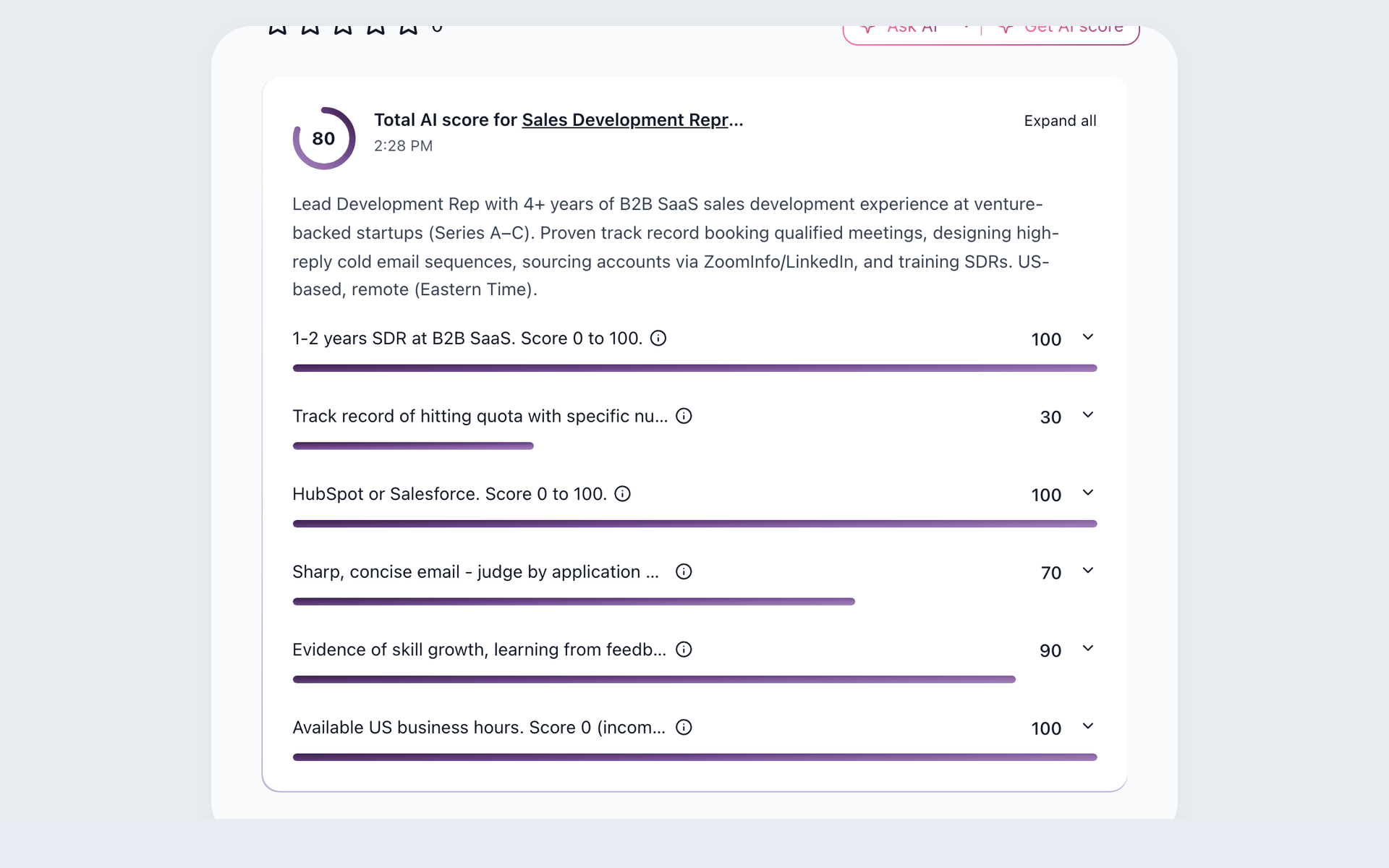
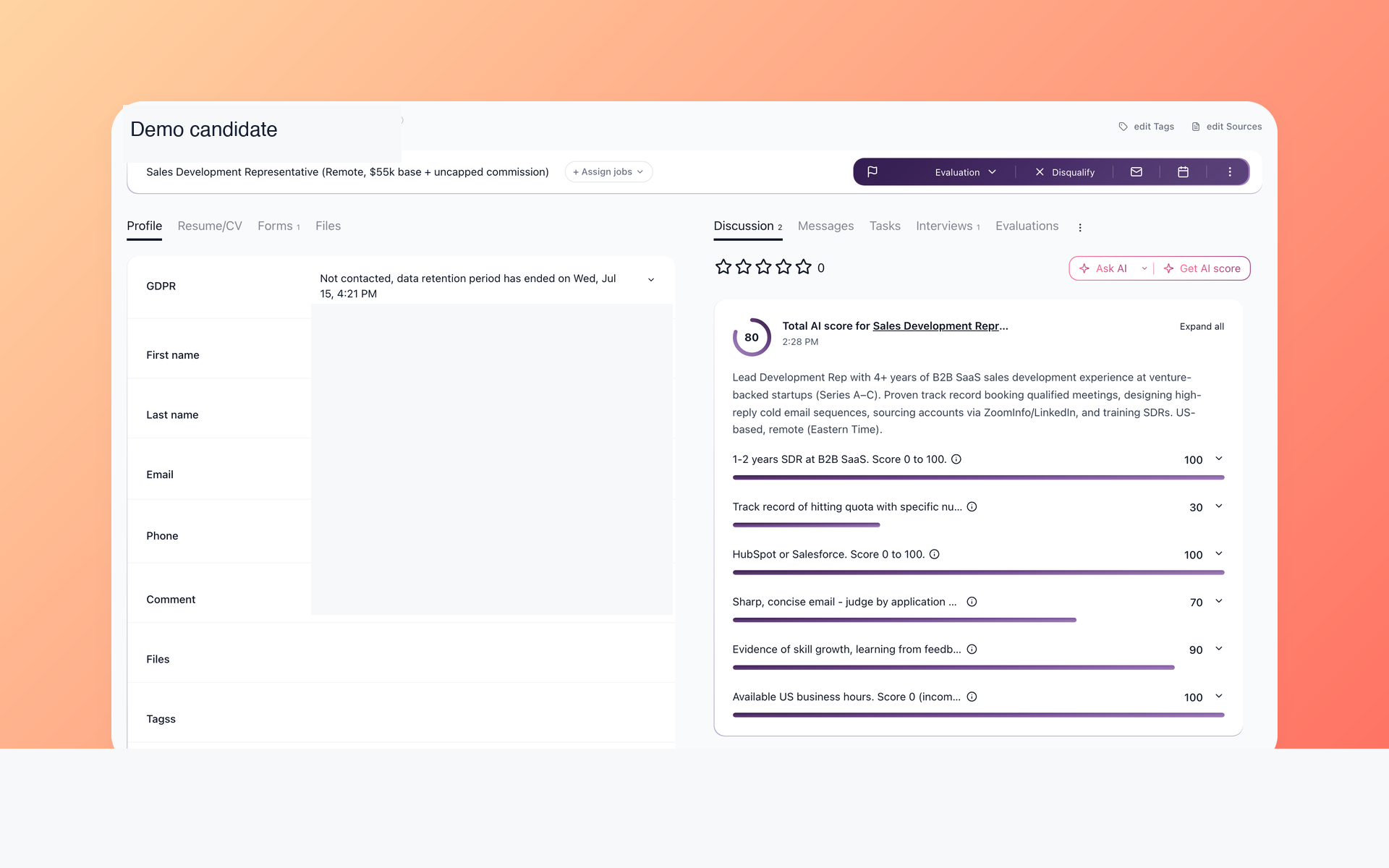
Use an active job opening to see whether recruiters can review the evidence they need. AI Score uses configured criteria and candidate data available in 100Hires. Evaluation Forms help recruiters evaluate candidates in a structured way.
- Evidence-based score
- Configured criteria
- Evaluation Forms
- Human judgment
Recruiters can compare the AI Score explanation with role criteria, resumes, notes, and interview evidence before deciding whether to move a candidate to the next stage.
Keep candidates engaged between hiring cycles
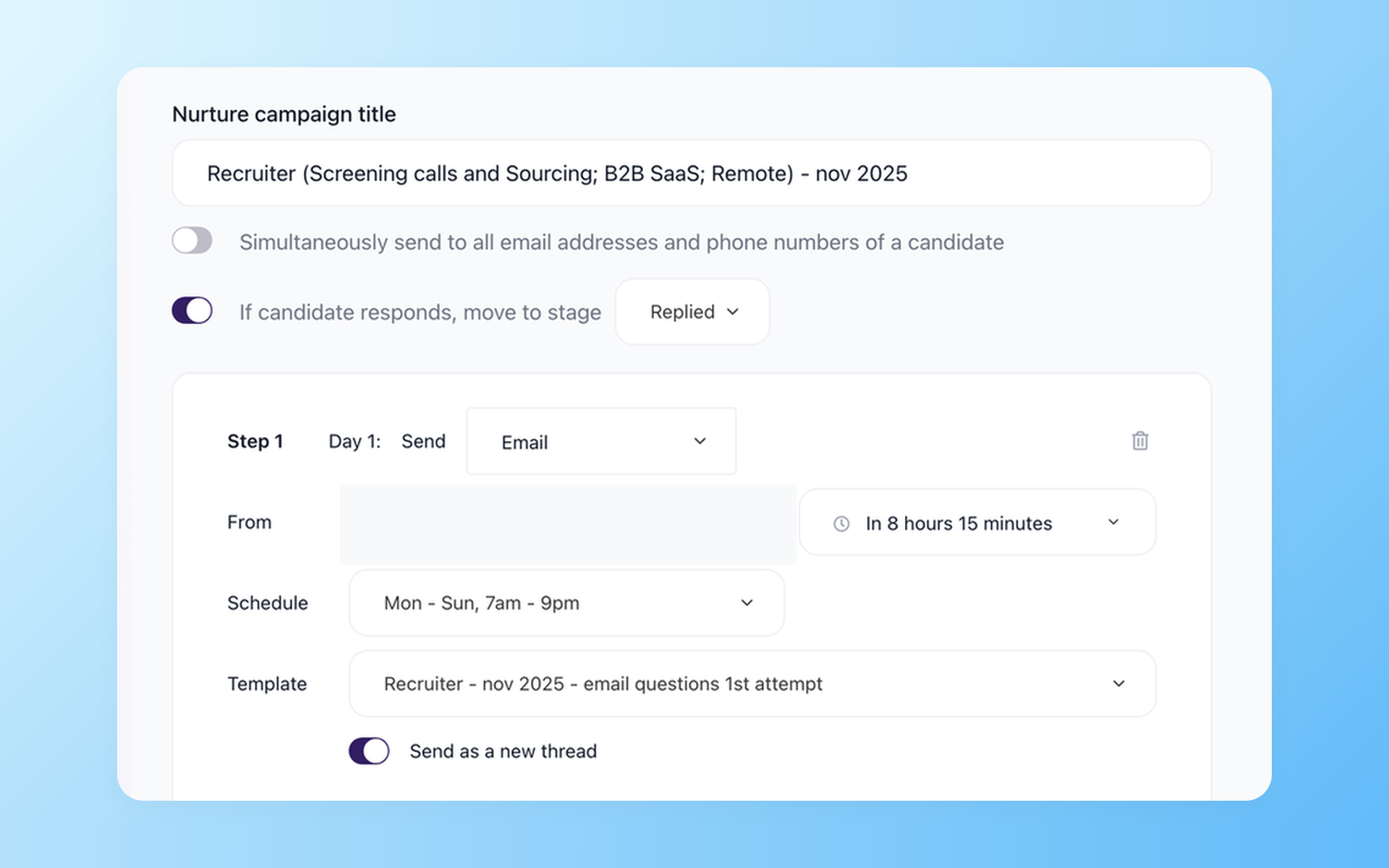
Use candidate records in 100Hires to test the follow-up process your team expects. Talent Pools keep candidate records organized. Nurture campaigns schedule messages and can move a candidate to a selected stage when they reply.
- Reusable Talent Pools
- Campaign schedule
- Reply-triggered stage movement
Recruiters can revisit candidates when a role reopens and review planned follow-up.
Start outreach with a first draft recruiters can review
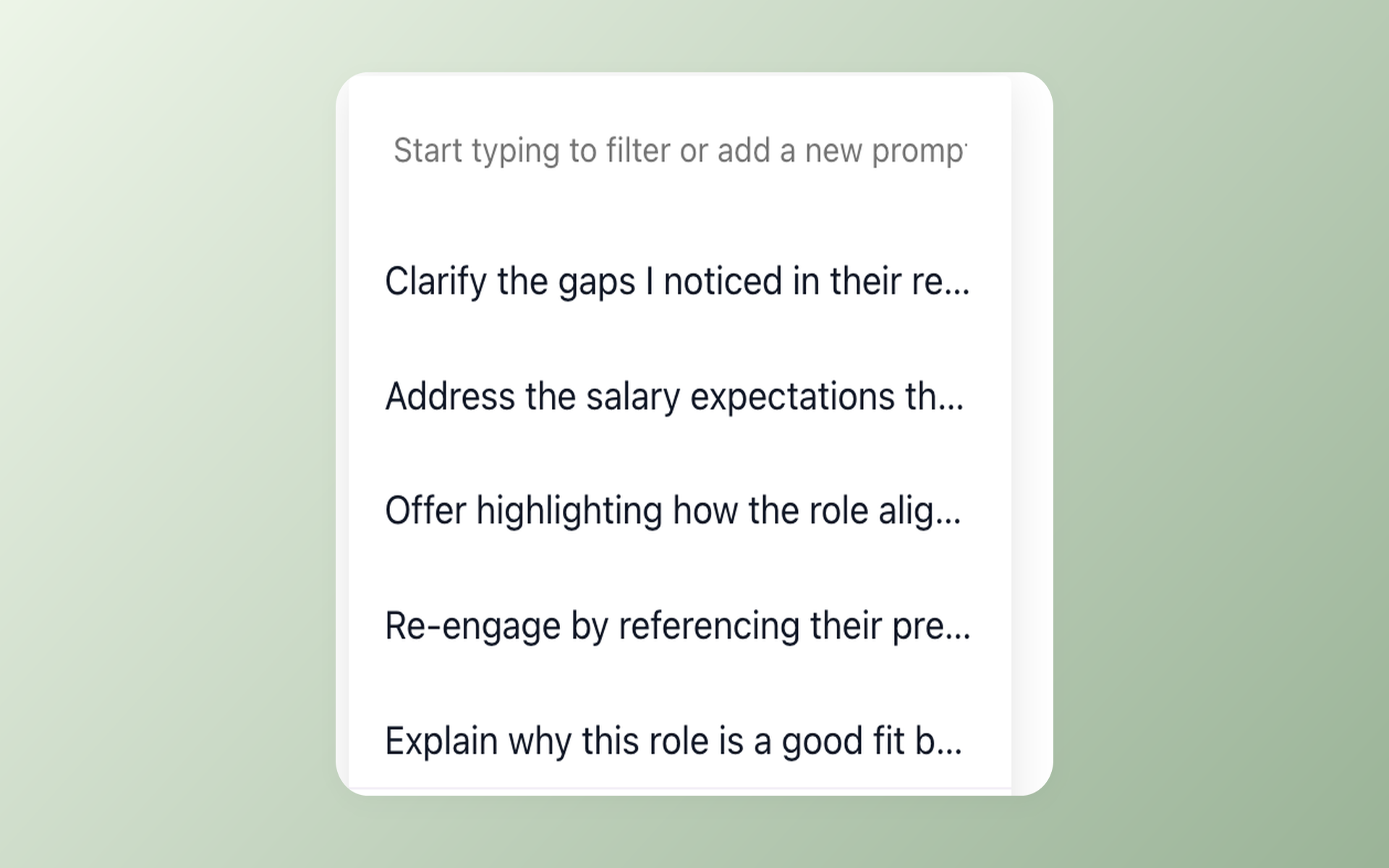
Give recruiters a consistent first draft for common recruiting situations. AI Email Composer lets them choose a saved prompt, then review and edit the draft before sending.
- Saved prompts
- Editable drafts
- Recruiter review
Migration and AI limits to confirm
100Hires does not guarantee that every record, field, relationship, attachment, assessment, video, integration, workflow, or historical event will transfer, nor does it promise completeness, a fixed timeline, zero downtime, or a defined amount of customer effort.
100Hires AI Score uses configured criteria. Its premium model can search for external information about a candidate's past employers. Configured thresholds can move or disqualify candidates, so teams should review their criteria, automation rules, and hiring decisions.
AI features use credits, and the number of credits included varies by plan. Confirm how many credits are included in the plan for the billing cycle you are considering.

It solved all of my recruitment problems and offered all of the features I was looking for. It can automate most of my recruitment processes.

I’d happily recommend it to my industry peers. I’m able to use the platform with ease and don’t have to think twice about which function to use.

The system is very user-friendly. Even people with no experience will find it easy to understand its functionality.







 4.7
4.7
 4.8
4.8
The hiring playbook, in your inbox
One email a week - benchmarks, AI screening tactics, and short interview templates from the 100Hires team. No product pitches.