
Migrate from Breezy HR to 100Hires
Free CSV import, or free managed migration with annual Pro after scope review.






Start with the path that fits your data
Switching from Breezy HR does not have one universal import path. Simple cases can use free self-service CSV import. Managed migration is included on annual Pro only after scope review; other cases require eligibility review and a custom quote.
This is an independent comparison. 100Hires is not affiliated with, endorsed by, or sponsored by Breezy HR. Breezy HR is used solely to identify the source product; all marks belong to their respective owners.
| Step | What happens | Boundary |
|---|---|---|
| 1. Inventory exports | Review the documented candidate, position, and questionnaire CSV surfaces | CSV surfaces do not prove complete history export |
| 2. Choose a path | Use self-service CSV for simple cases or request annual-Pro managed scope review | Managed eligibility is not confirmed by trial signup |
| 3. Map and sample | Map source fields, check compatibility, and review a sample | Unmatched fields, corrupted files, and cutoff records may not move |
| 4. Import compatible records | Import the approved records and files that match the destination scope | The page does not promise every record or field |
| 5. Customer QA and cutover | Review the sample and complete customer checks before cutover | Timing and customer work depend on the reviewed dataset |
Know what Breezy HR export files contain
Breezy HR documents candidate export to CSV with selected columns. When Resume is selected, the CSV includes a link to a PDF version of the candidate resume.
Position data can be exported to CSV with selected columns. Questionnaire answers can be exported to CSV, but archived-position responses are excluded.
Those documented surfaces do not establish a complete export of notes, messages, attachments, stage history, Candidate Pool membership, Nurture state, or every custom and historical field. Scope has to follow the actual files, mappings, cutoff, and QA.
Candidate information can exist outside the documented CSV surfaces. Files may appear in profiles, Discussion, Notes, Tasks, email, and questionnaires, but their presence does not prove export or migration compatibility.
List the jobs, candidates, files, fields, and cutoff date that matter. Separate required records from useful history so the scope review and customer QA have a clear checklist.
Compare the destination workflow by plan scope
| Decision point | 100Hires | Breezy HR |
|---|---|---|
| Visual pipeline and ease | Simple hiring workflow with pipeline stages | Credible SMB ATS with a visual pipeline |
| AI candidate evaluation | AI Score gives a 0-100 result with per-criterion detail | Paid Breezy Intelligence includes AI Candidate Sourcing |
| Candidate sourcing | Sourcing, imports, enrichment, and Contact Finder | Candidate sourcing uses paid Intelligence credits |
| Talent pools | Talent Pools use hidden jobs and pipeline stages | Candidate Pools support reusable candidate groups |
| Nurture | Nurture supports multi-step follow-up and response handling | Candidate Nurture Campaigns are documented on Business |
| Automation and scheduling | Nurture, tasks, stage movement, and scheduling workflows | Stage Actions, automations, and self-scheduling |
| Users and candidates | Start: 1 user, 3 jobs, 100 candidates per month; Advanced: unlimited users, jobs, and candidates | Paid plans include unlimited users and candidates |
| Export and import | Free self-service CSV for simple cases | Candidate, position, and questionnaire CSV exports are documented |
| Managed migration | Annual Pro after scope review; other plans and complex cases need eligibility review and a custom quote | Export and migration scope varies by plan and source |
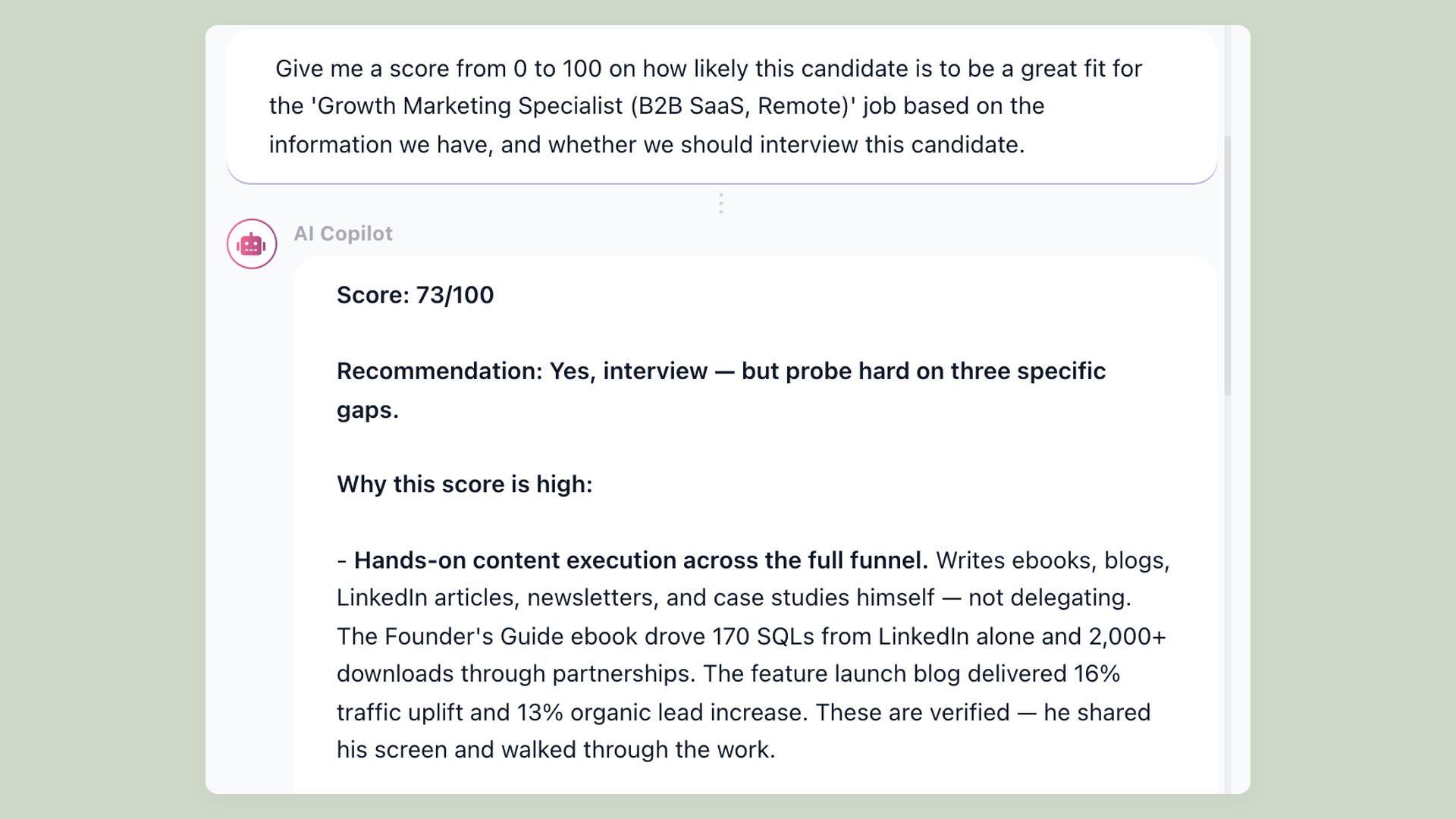
Review imported resumes with AI Score
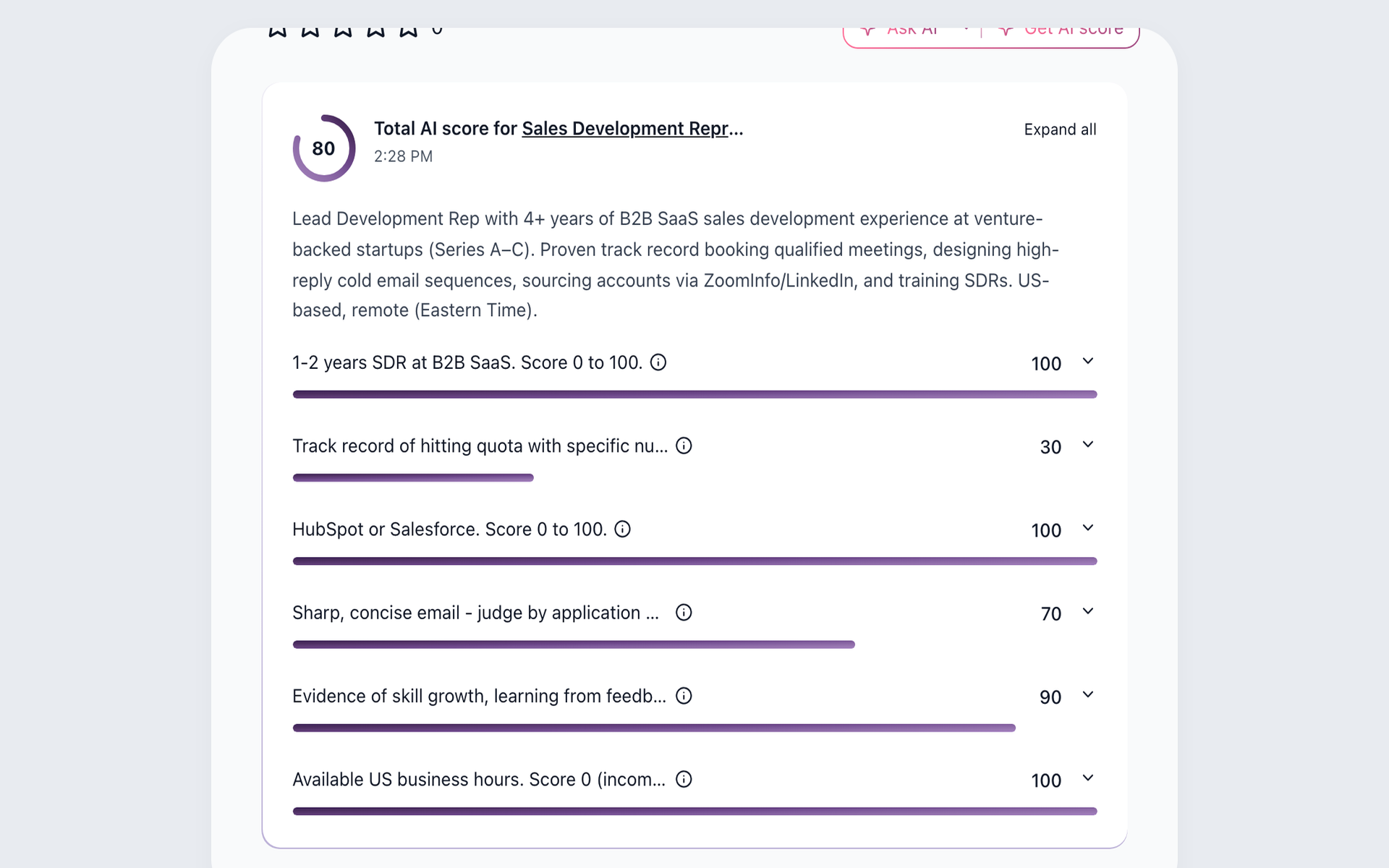
AI Score evaluates imported or new candidates against configured job criteria and shows a 0-100 result with a summary and per-criterion detail. Recruiters review the evidence and make the decision.
- Configured job criteria
- 0-100 result
- Recruiter review
After import, you can review imported resumes with AI Score in a workflow built for evidence-based screening.
Enrich sourced candidate records
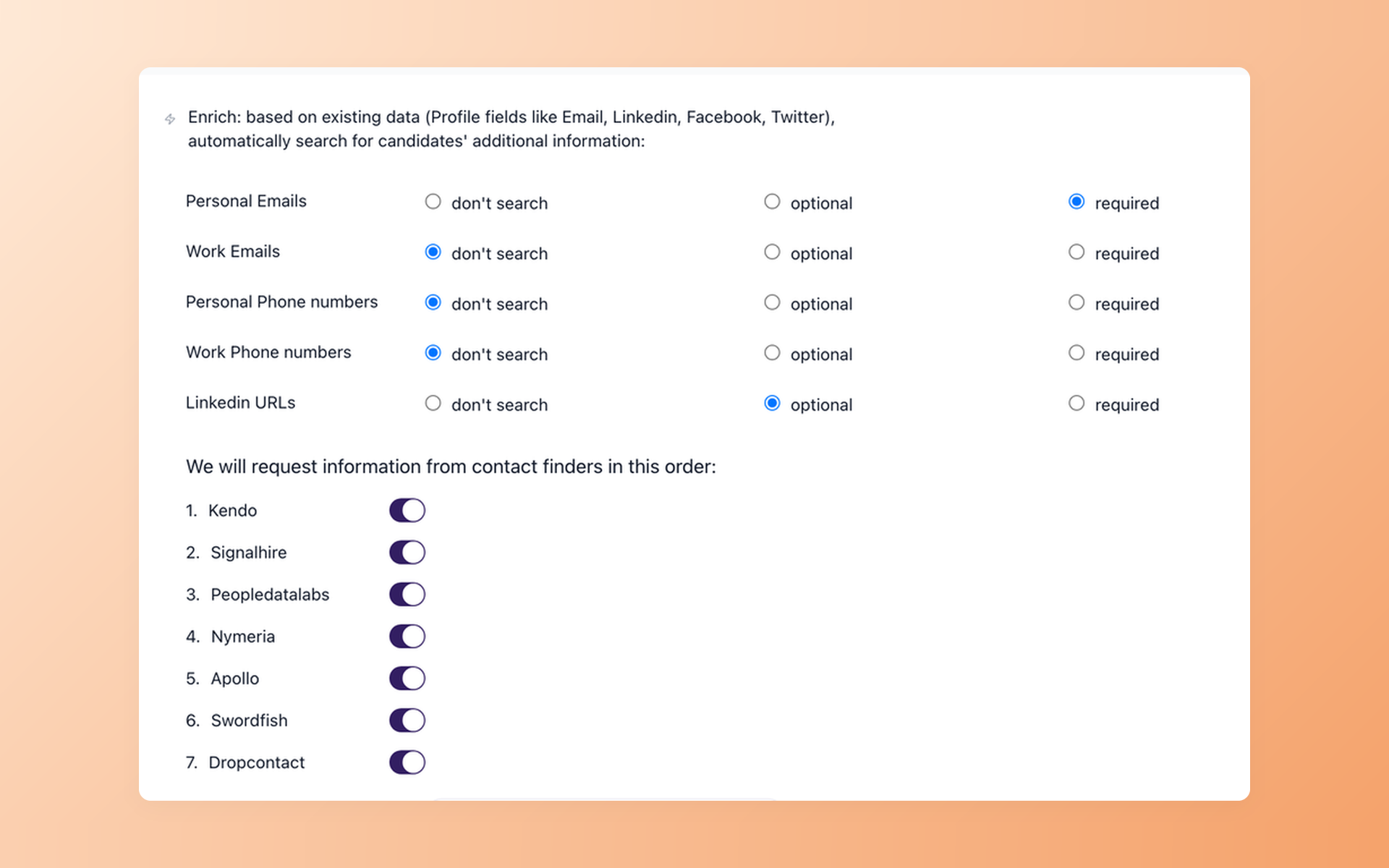
Contact Finder can query configured enrichment providers for selected contact fields and save a result to the candidate record. It is separate from AI Score and can return no match.
- Selected contact fields
- Configured providers
- Visible lookup result
Once the destination workspace is ready, you can enrich sourced candidate records as a separate sourcing workflow.
Automate candidate follow-up
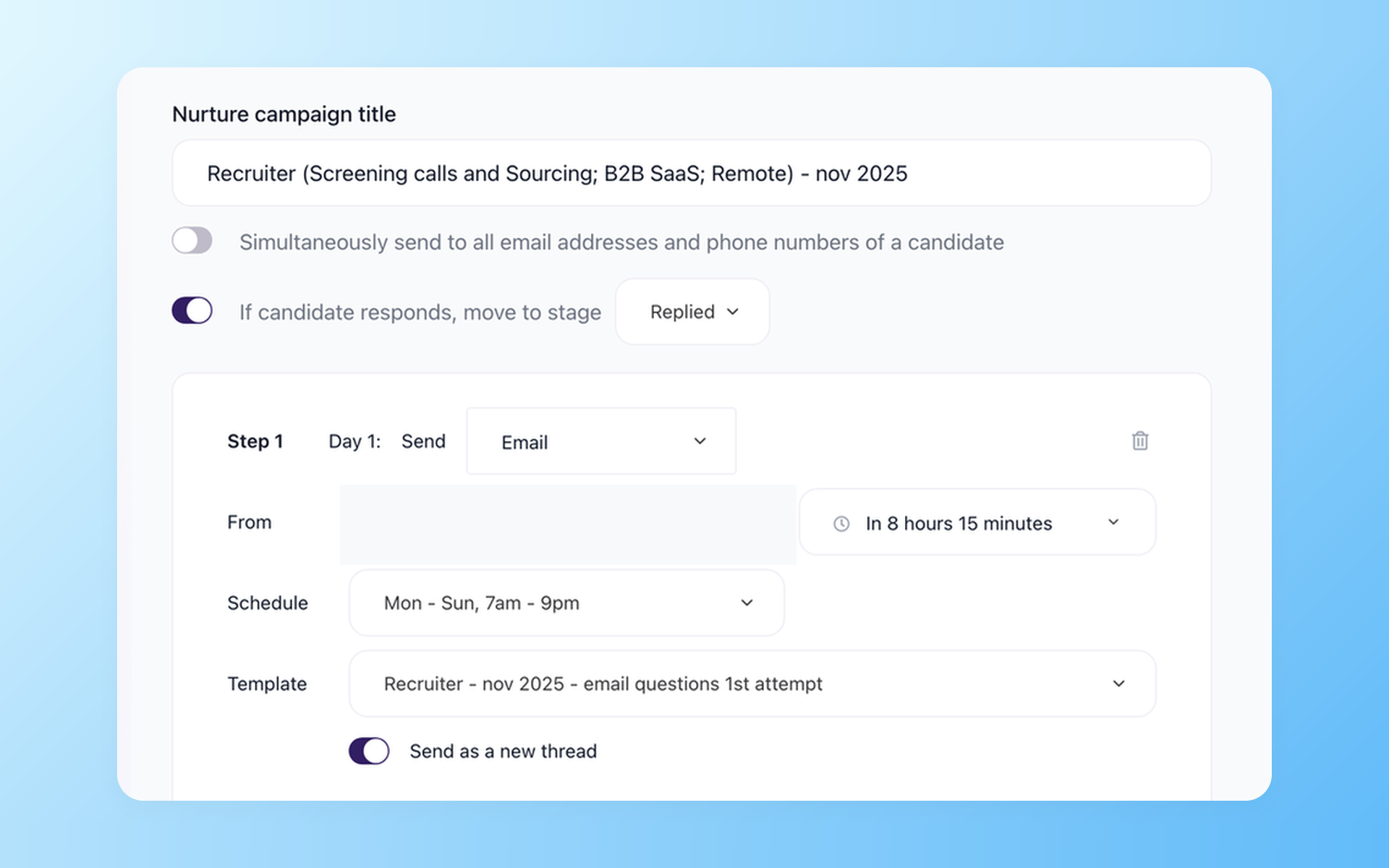
Nurture campaigns support scheduled multi-step follow-up, tasks, stage movement, and response handling. The workflow can help activate imported talent after customer review.
- Multi-step follow-up
- Scheduled actions
- Response handling
Keep the post-move sequence clear with a workflow to automate candidate follow-up.
Review the managed scope before cutover
On annual Pro, managed scope may include candidates, compatible resumes and attachments, notes and evaluations, jobs, stage history, and tags.
Every item remains subject to source compatibility, field mapping, a cutoff, and QA. Fields without a destination match, corrupted files, and records outside the cutoff may not move.
No fixed timing, complete-history promise, automatic transfer, zero-downtime promise, or no-customer-work promise is made here.
Watch candidate scoring after import
See the review workflow that follows data setup.

It solved all of my recruitment problems and offered all of the features I was looking for. It can automate most of my recruitment processes.

I’d happily recommend it to my industry peers. I’m able to use the platform with ease and don’t have to think twice about which function to use.

The system is very user-friendly. Even people with no experience will find it easy to understand its functionality.







 4.7
4.7
 4.8
4.8
The hiring playbook, in your inbox
One email a week - benchmarks, AI screening tactics, and short interview templates from the 100Hires team. No product pitches.