
Migrate from Betterteam to 100Hires
Switching from Betterteam? Start a 100Hires trial, scope your free import on annual Pro, and move into an AI ATS with scoring, Pipeline stages, sourcing, and Talent Pools.






If Betterteam helped you publish jobs but your team now needs a stronger ATS, the migration should not recreate the same manual workflow in a new place.
100Hires gives you a trial workspace first, then support scopes the import from the Betterteam data you can provide. Free comprehensive migration is available on annual Pro contracts after review.
After the move, your team gets AI Score, custom Pipeline stages, Knockout questions, Self-scheduling links, Talent Pools, Contact Finder, Nurture campaigns, and AI Email Composer in one ATS.
100Hires is not affiliated with, endorsed by, or sponsored by Betterteam.
What changes after you move from Betterteam
 100Hires
How the free import is scoped
| Step | What 100Hires checks | Why it matters |
|---|---|---|
| Start a trial | Create a 100Hires workspace and add the first role you want to test. | Your team sees the ATS before committing to a paid migration path. |
| Prepare source data | List candidates, jobs, resumes, fields, notes, tags, and history you need from Betterteam. | 100Hires can only promise what the available export or files can support. |
| Review import path | Support checks CSV files, resume folders, field mapping, record counts, and requested history. | Some teams use self-service import; larger moves qualify for managed migration. |
| Confirm Pro annual scope | Free comprehensive migration is available on annual Pro contracts after review. | No one-click, every-object, or fixed-timeline promise is made before the source data is checked. |
| Validate in 100Hires | Your team reviews imported candidates, resumes, stages, and fields before cutover. | You keep control of when the new workspace becomes the system of record. |
Run AI Score on imported and new applicants
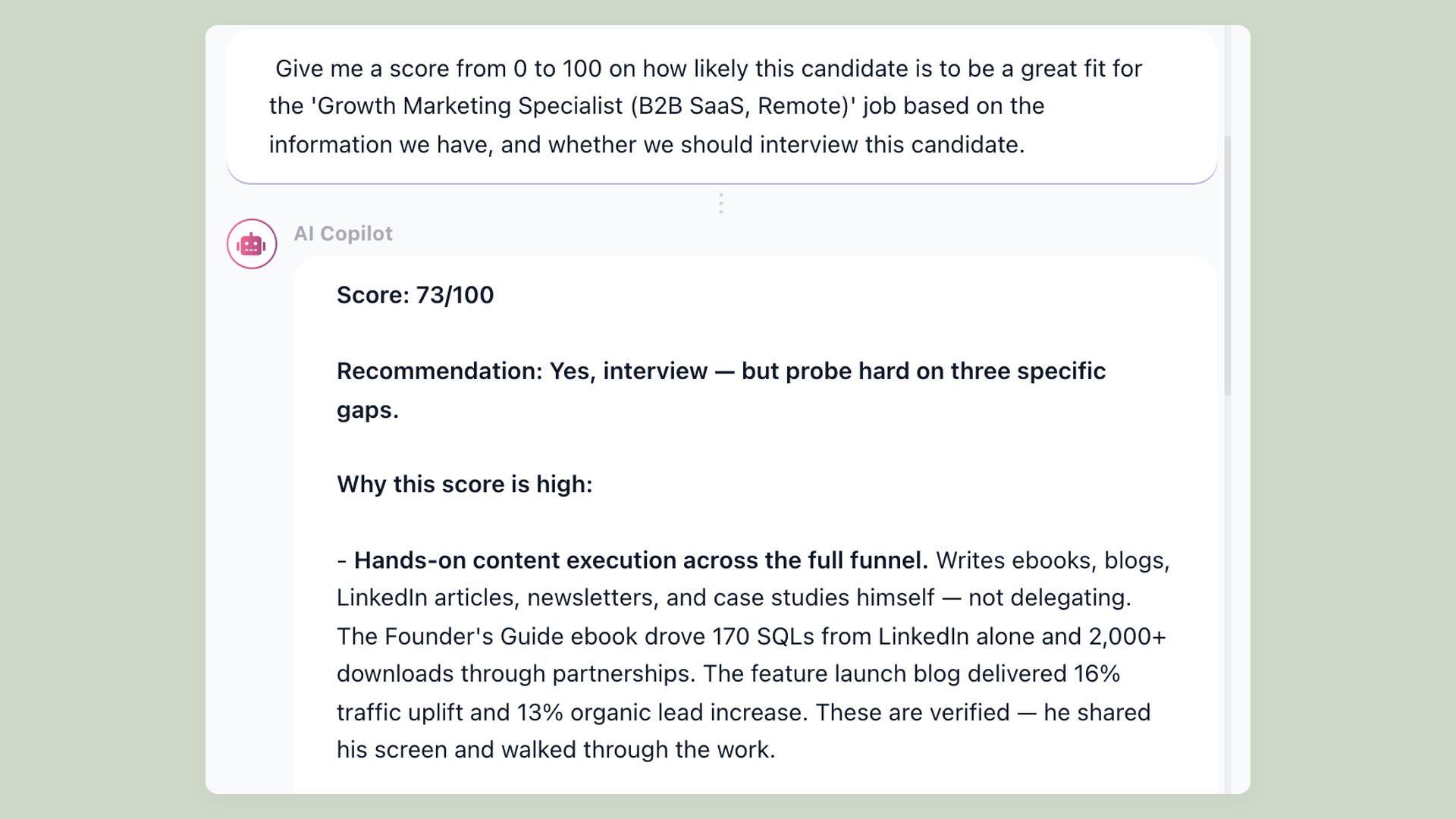
Once candidates are in 100Hires, AI Score evaluates them against job criteria and shows evidence on the profile. Recruiters review the reasoning instead of starting every screen from a blank resume.
- AI Score by job criteria
- Evidence on each profile
- Bulk scoring support
- Recruiter-controlled decisions
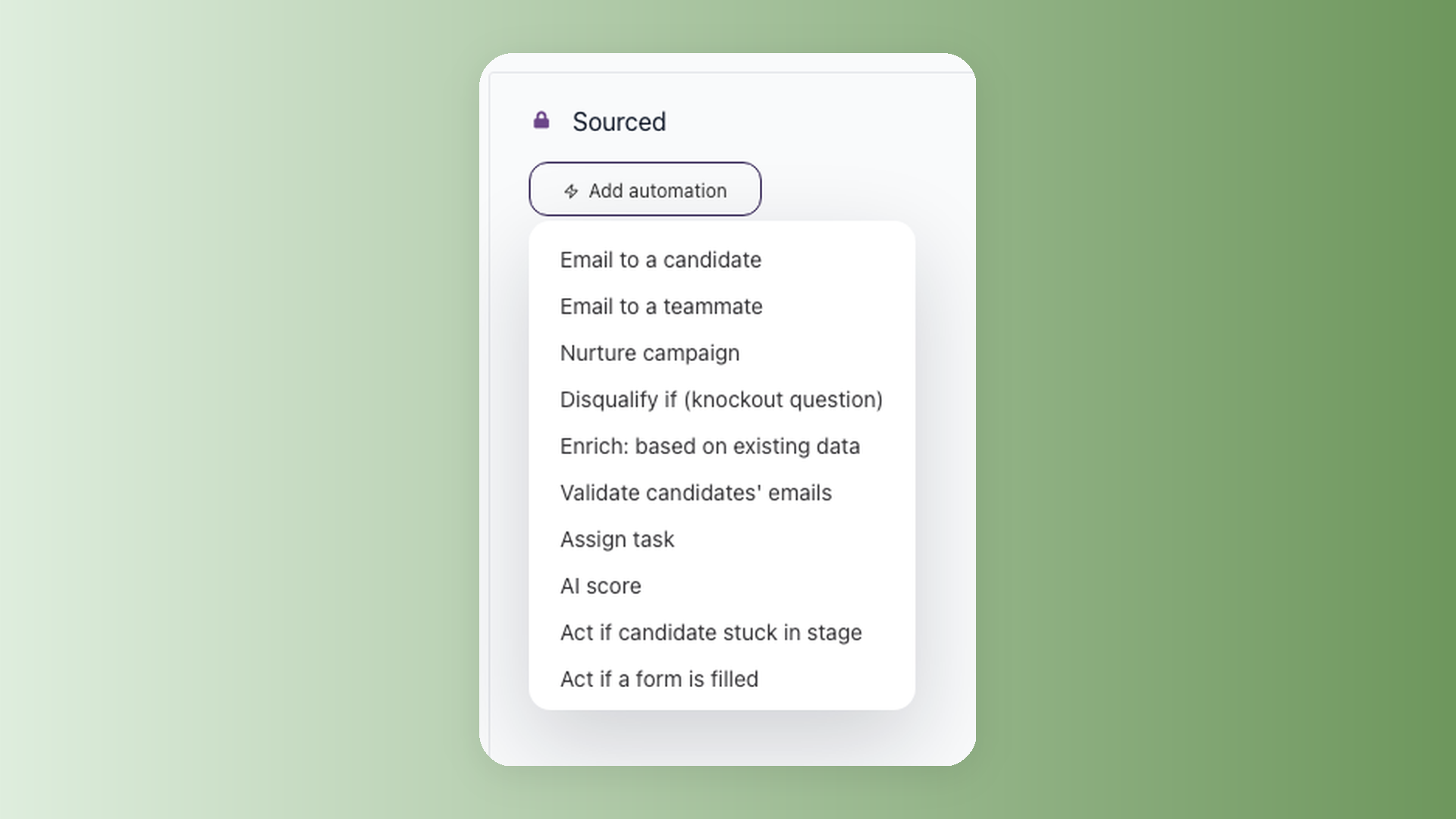
Turn the old review list into a working pipeline
100Hires Pipeline stages can trigger candidate emails, tasks, Self-scheduling links, Nurture campaigns, and AI Score. The goal is not just moving data; it is removing the repeated admin work after the move.
- Custom Pipeline stages
- Stage-triggered actions
- Self-scheduling links
- Nurture campaigns

Build new candidate flow after the switch
Contact Finder, Talent Pools, and AI Email Composer help recruiters source and re-engage people after Betterteam data is imported. Past applicants and sourced prospects stay in the same ATS.
- Contact Finder
- Talent Pools
- AI Email Composer
- Reusable candidate history
What 100Hires does not promise before review
100Hires does not promise that every Betterteam object, history item, attachment, comment, integration, or workflow can migrate before support reviews the available source data.
That scope language protects your team. You should know exactly which records, fields, resumes, notes, and job history will land in 100Hires before you rely on the new workspace.

It solved all of my recruitment problems and offered all of the features I was looking for. It can automate most of my recruitment processes.

I’d happily recommend it to my industry peers. I’m able to use the platform with ease and don’t have to think twice about which function to use.

The system is very user-friendly. Even people with no experience will find it easy to understand its functionality.







 4.7
4.7
 4.8
4.8
The hiring playbook, in your inbox
One email a week - benchmarks, AI screening tactics, and short interview templates from the 100Hires team. No product pitches.