
Self-scheduling that respects your calendar, plus no-show tracking
Self-scheduling links let candidates book an interview slot themselves: you send a link, the candidate picks a time without creating an account, and the interview lands on their profile and on your interviewers' calendars. This update makes the slots they see match the time your team actually has free, and adds a way to record what happened after the interview.
Slots that match real availability
The hiring playbook, in your inbox
One email a week - benchmarks, AI screening tactics, and short interview templates from the 100Hires team. No product pitches.
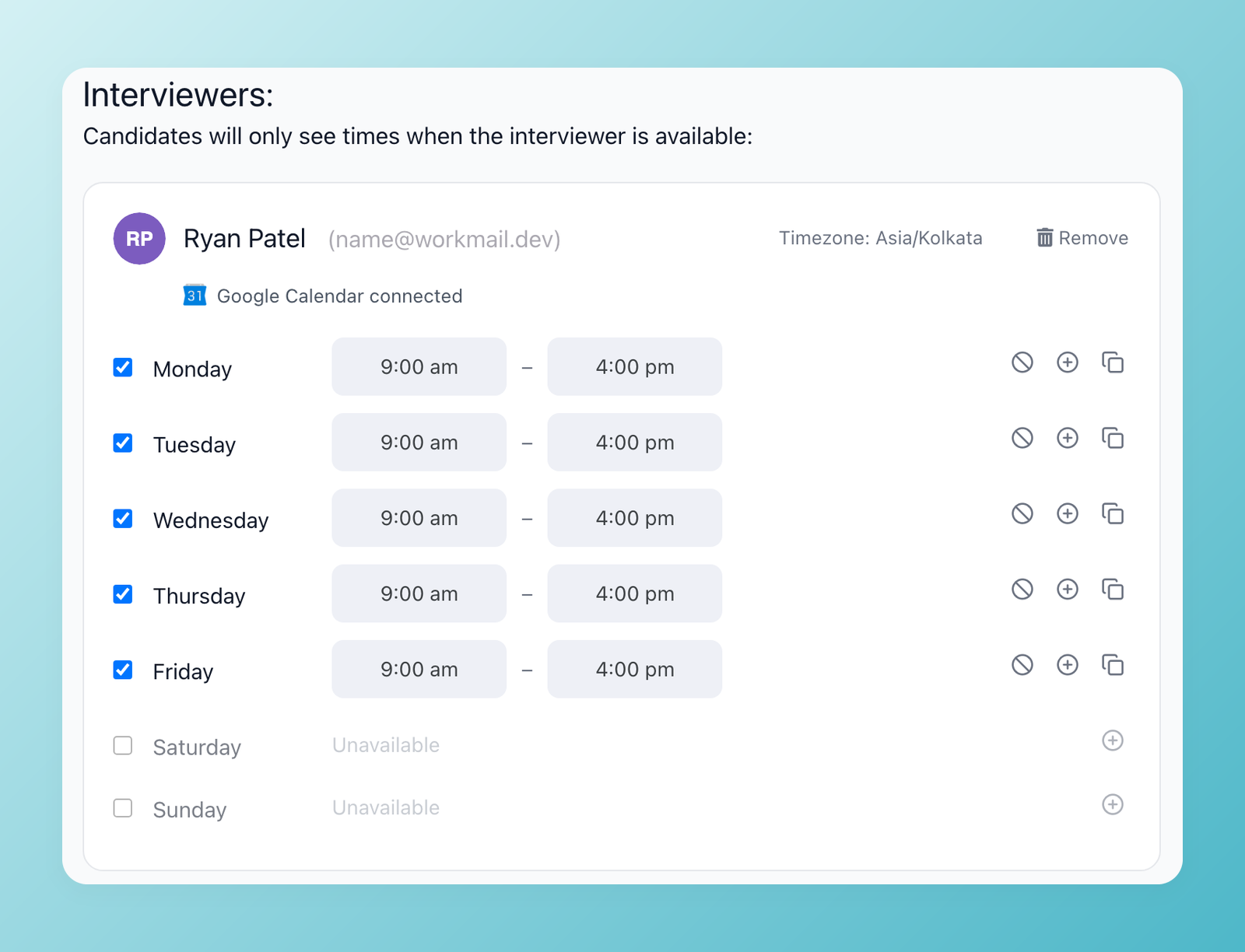
Availability now checks the interviewers' connected Google Calendar. Events marked Busy block a slot, events marked Free do not, and a slot that overlaps an interview already booked in 100Hires is never offered. Candidates also no longer see slots before the first available date or times that have already passed.
Clearer link settings
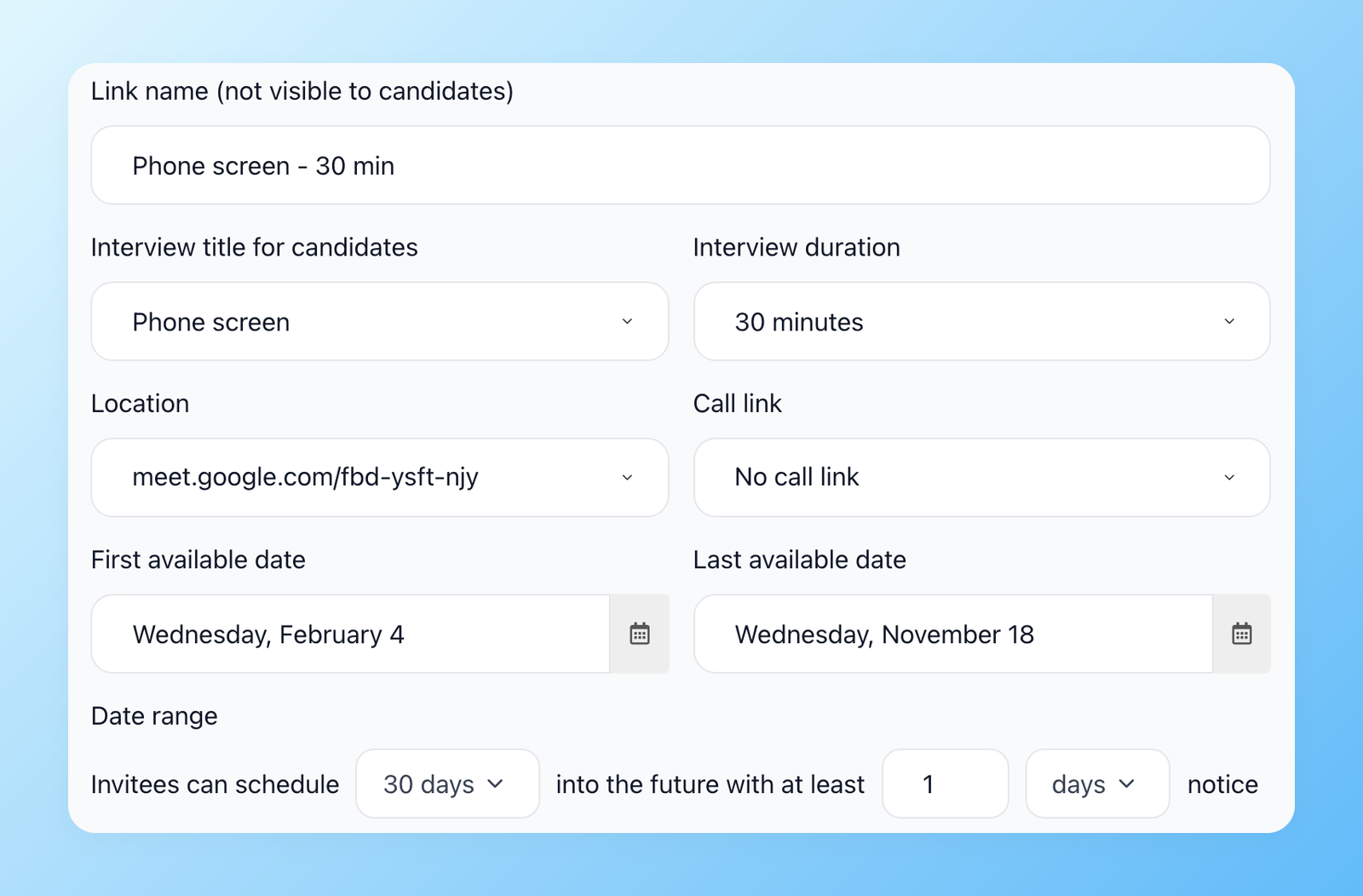
The Self-scheduling links page now explains how the feature works in three steps. In the link settings you choose the interview title, duration, location and call link, the first and last dates candidates can book, how far ahead they can schedule and the minimum notice.
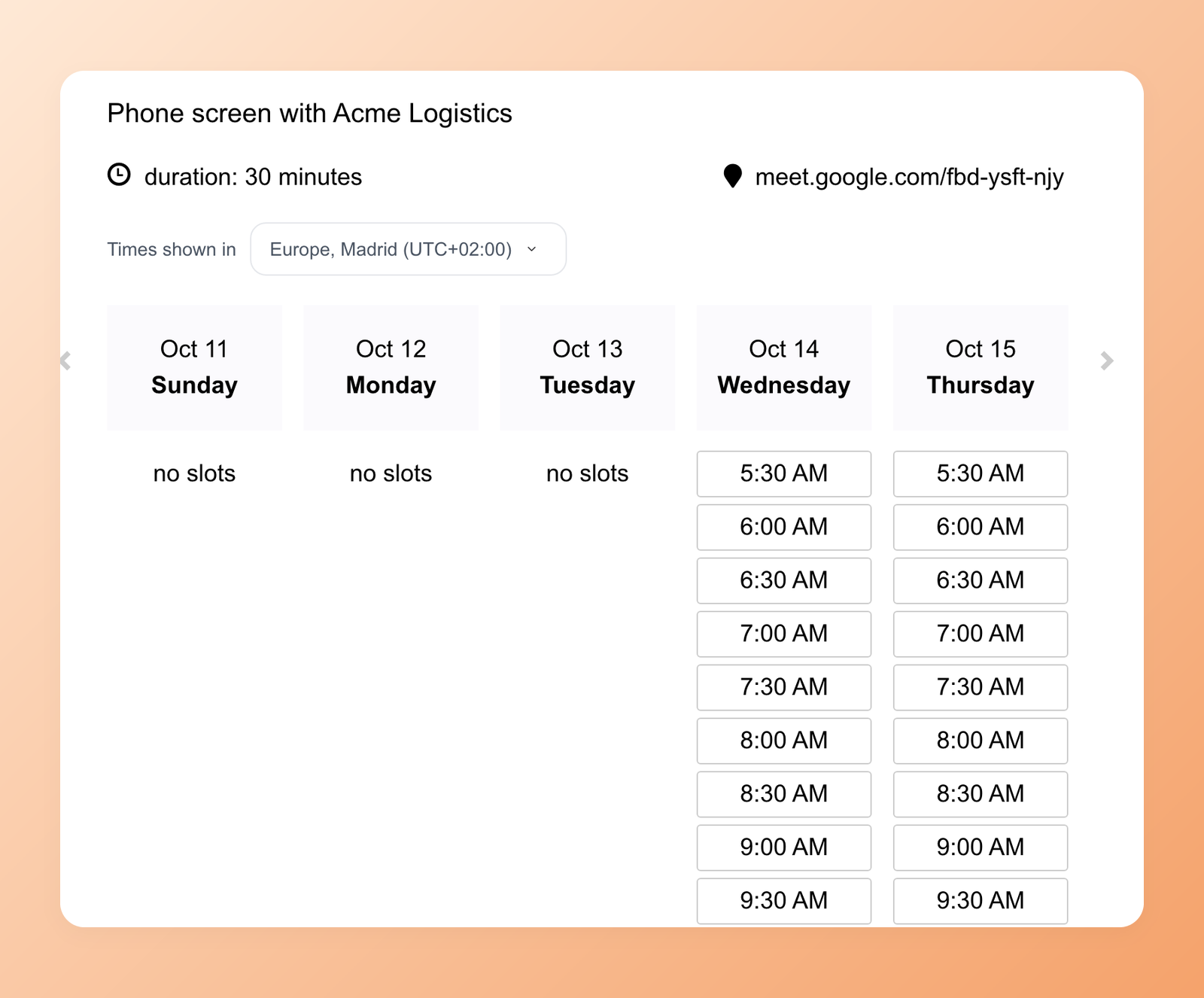
Candidates see which time zone the slots are shown in and can switch it if needed.
Mark every interview completed or no-show
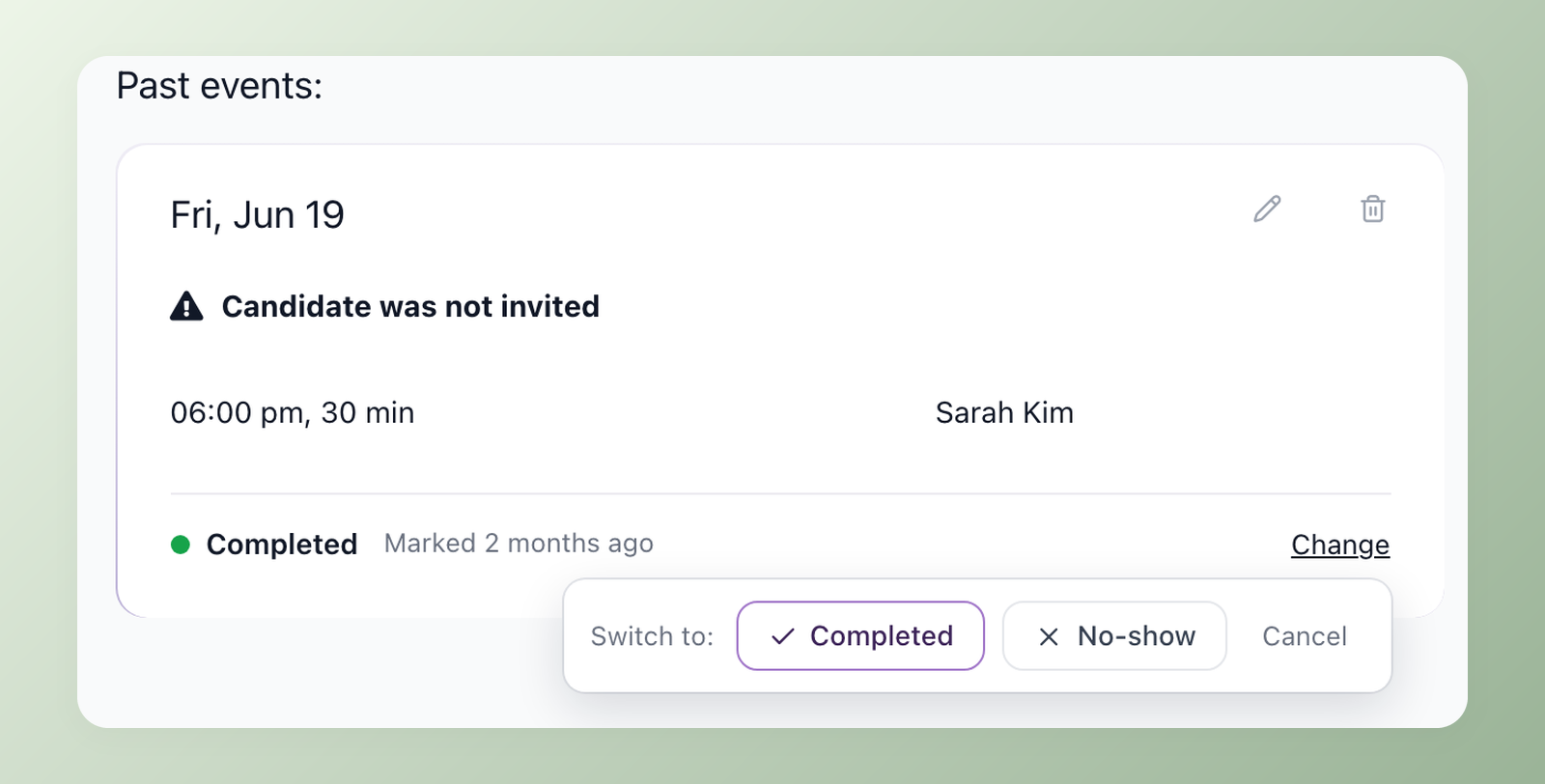
Once an interview time has passed, mark it as Completed or No-show right on the candidate's profile, and change it later if needed. The Interviews report adds these outcomes up per interview type, so you can see your no-show rate and compare it across interview steps.
Open Settings > Self-scheduling links to create a link, then add it to an email template.
Related 100Hires resources: Explore interview scheduling software and the Google Calendar integration.
Try 100Hires for free
No credit card. 14-day trial. Forbes Advisor #1 ATS for SMBs.

