
100Hires vs HiringThing
Compare HiringThing pricing, competitors, and alternatives to see whether a direct 100Hires workflow with AI Copilot gives your SMB team clearer candidate decisions.






Choose the operating model that matches your team
HiringThing documents employer ATS workflows for posting jobs, screening applicants, messaging candidates, branding, and reporting. Its public positioning gives unusual prominence to white-label, private-label, embedded, and partner distribution.
100Hires is built for SMB employers that want to run recruiting directly. Applicant tracking, AI Copilot, AI Score, sourcing, outreach, scheduling, and candidate history stay in one recruiter workspace.
This comparison was prepared by 100Hires from publicly readable current sources. 100Hires is not affiliated with HiringThing.
The table separates documented capabilities from information that was not readable in current public sources. An unstated item is not treated as a missing feature. Confirm the current HiringThing package, price, and integration scope with HiringThing.
| Feature | 100Hires | HiringThing |
|---|---|---|
| Best fit | Direct AI-first ATS for SMB employer recruiting | Employer ATS workflows are documented; public positioning emphasizes white-label and partner distribution |
| Public pricing | For 1–20 employees: Start $49/month billed annually or $99/month billed monthly; Advanced $199/month billed annually or $249/month billed monthly; Pro $399/month billed annually or $499/month billed monthly; Enterprise quote-only | Plans start at $130 per month billed annually; Applicant Tracking starts at $76 per month; monthly billing is available |
| Job posting and screening questions | Job distribution and Knockout questions documented | Job posting, distribution, and screening questions documented |
| AI candidate screening | AI Score uses configured criteria and shows recruiter-reviewable evidence | Not publicly stated in readable current sources |
| Context assistant | AI Copilot uses candidate and job context and supports saved prompts | Not publicly stated in readable current sources |
| Candidate email | AI Email Composer drafts from candidate context for human review | Candidate messaging is documented; comparable AI drafting is not publicly stated in readable current sources |
| Interview scheduling | Self-scheduling links use calendar availability | Calendaring and candidate self-scheduling documented |
| Talent reuse and sourcing | Talent Pools and candidate sourcing documented | Not publicly stated in readable current sources |
| Reporting and branding | Recruiting reporting, source tracking, and career-site branding documented | Reporting and employer branding or customization documented |
| Data export | Candidate export documented | Support-requested, fee-quoted standard export documented |
| Managed migration | Included on annual Pro after scope review; custom quote on other plans | Not publicly stated in readable current sources |
When HiringThing may fit
HiringThing may fit an employer whose documented posting, screening-question, messaging, branding, and reporting workflows match its needs. It may fit a software platform evaluating a white-label or embedded ATS relationship.
That is a fit question, not a quality verdict. HiringThing documents direct-employer workflows, so its partner emphasis should not be read as proof that employers cannot use the product.
Ask HiringThing which package supports your workflow and confirm its limits, monthly quote, integrations, and included services. Public starting prices do not establish a directly comparable package.
Run the direct recruiting workflow in 100Hires
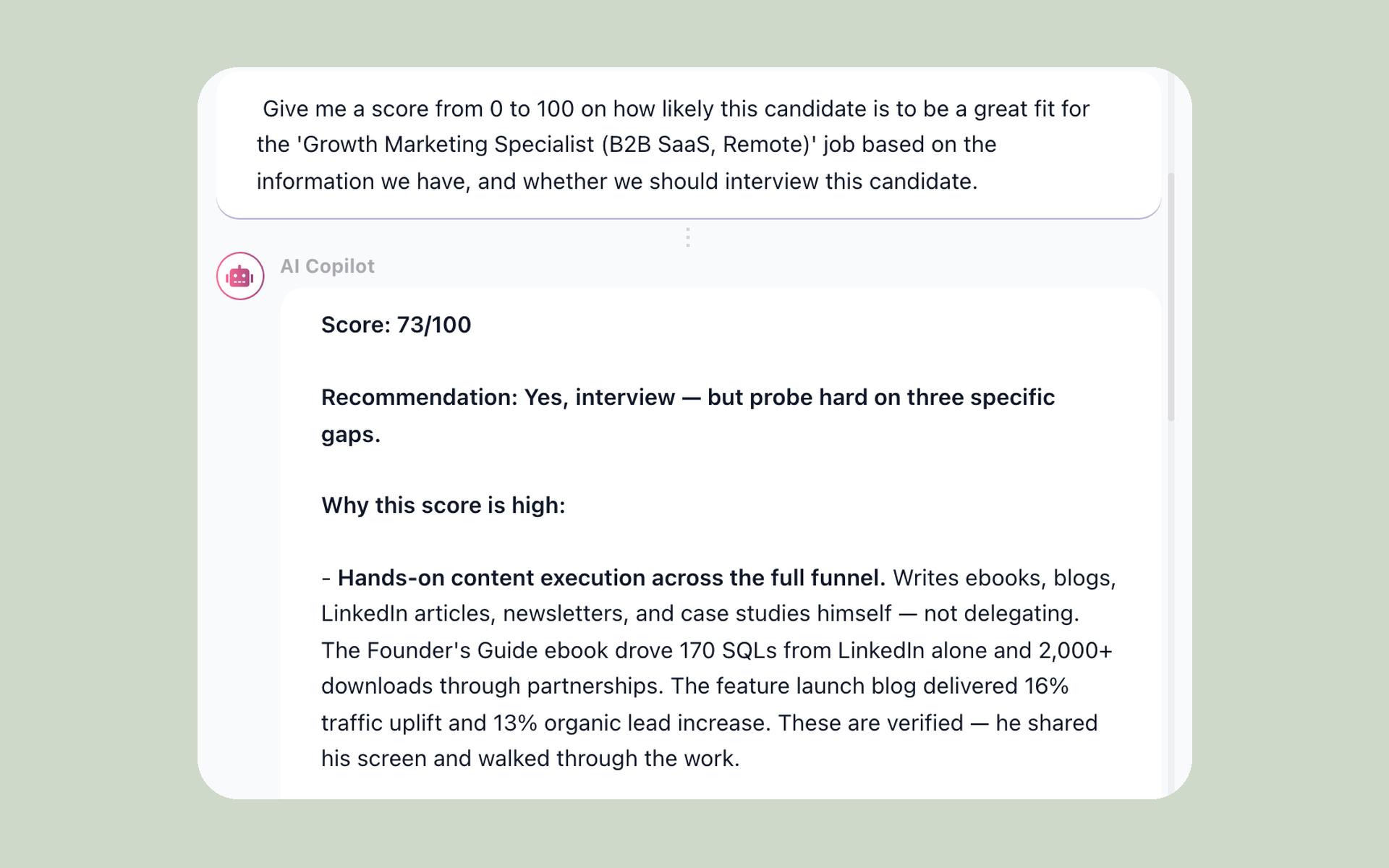
100Hires brings the work back to the candidate record. Recruiters can inspect evidence, ask a context-aware question, prepare outreach, and keep human decision-making visible instead of treating AI output as an answer by itself.
Ask the candidate record instead of starting from a blank chat
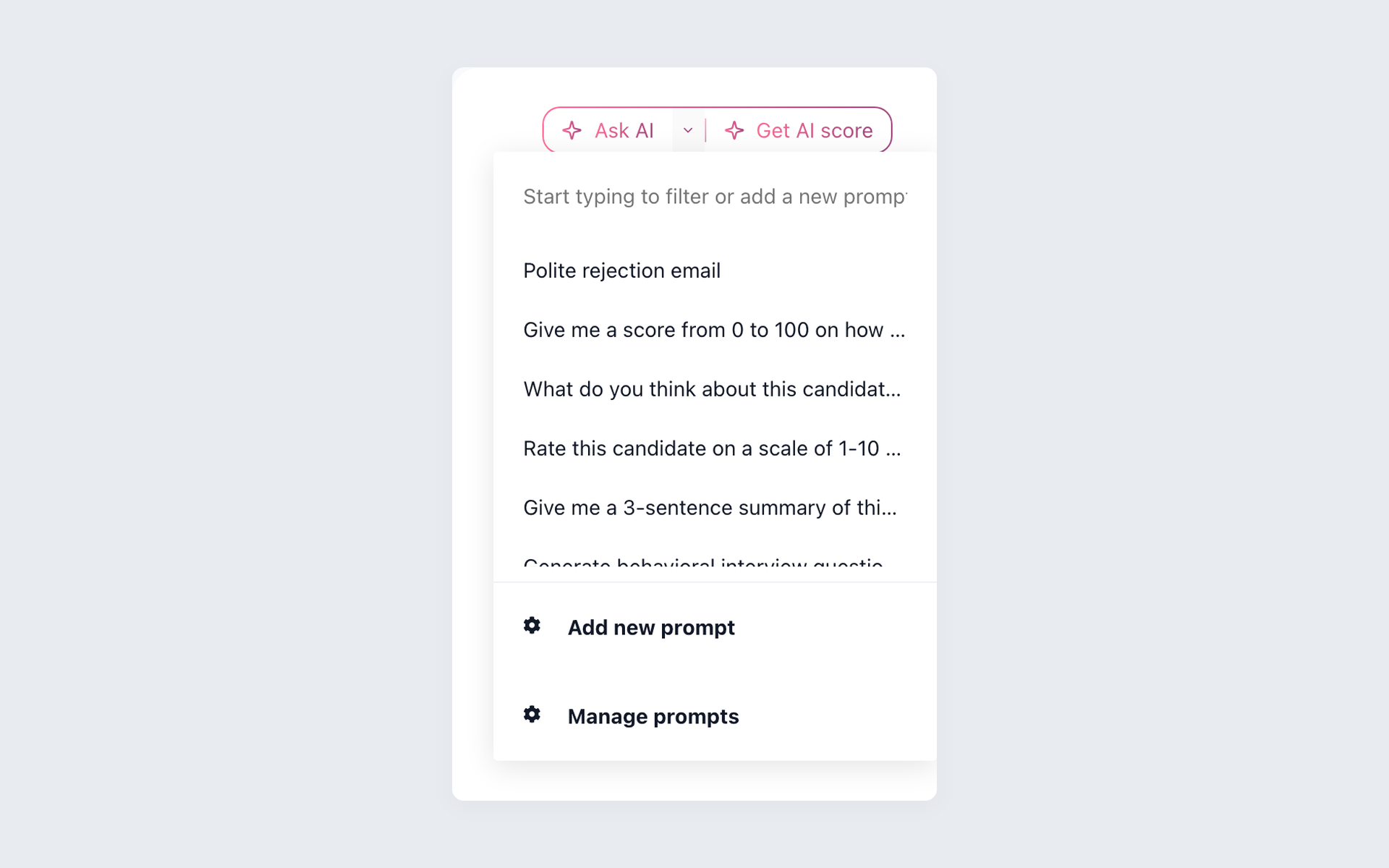
Open AI Copilot from the candidate Discussion, choose a saved prompt, or ask a focused question. The candidate and job records available to the assistant determine what it can use, and the recruiter reviews the result.
- Candidate and job context
- Saved recruiter prompts
- Answers beside the source record
- Human review before action
AI Copilot can help summarize present information or draft work from documented context. It cannot infer a skill, trait, or fact that is absent from the record, and it does not make the hiring decision.
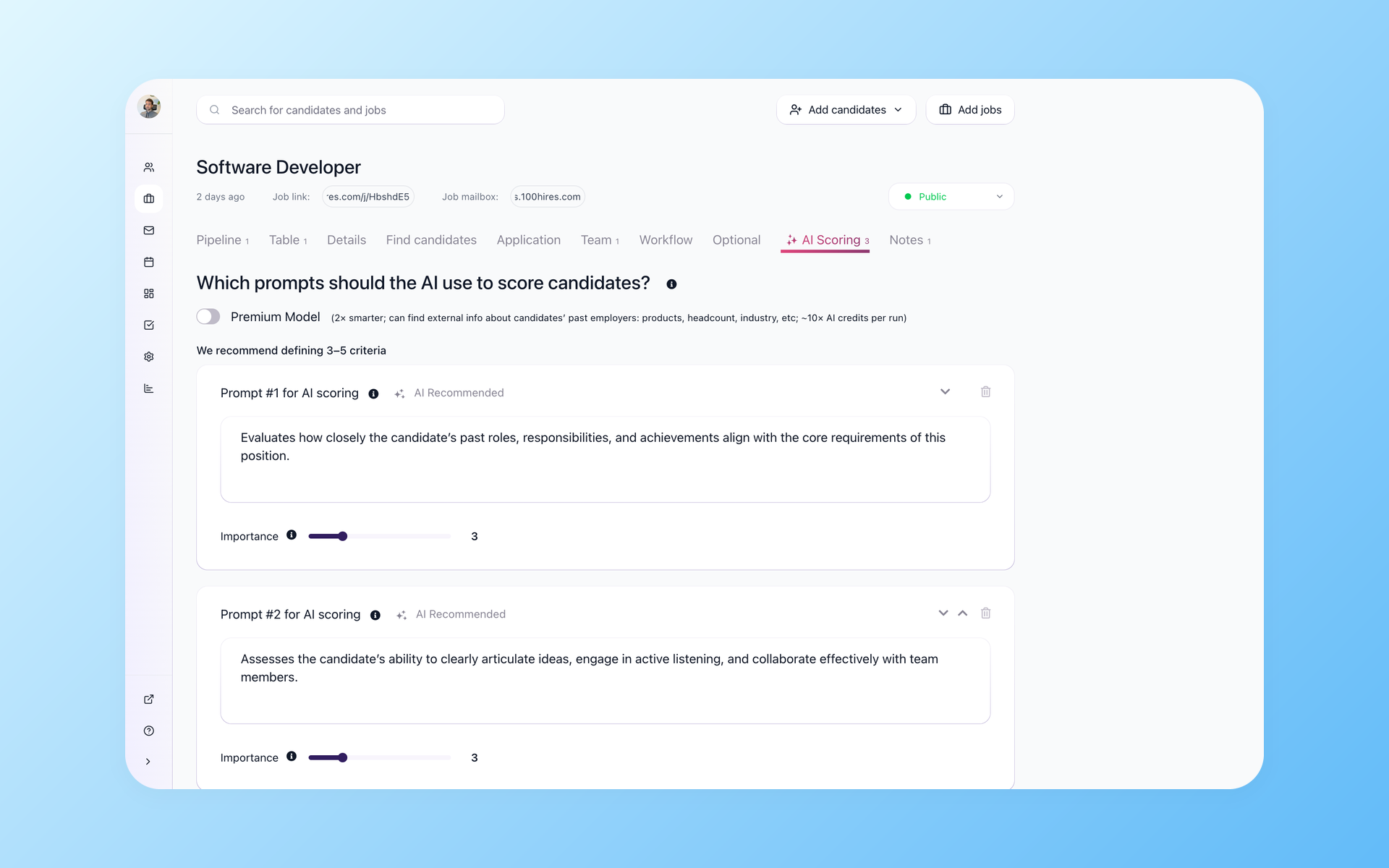
Review the evidence before you trust the score
AI Score applies criteria configured for the role and shows an explanation recruiters can inspect. Use the result to organize review, then check the resume, answers, and evidence before moving a candidate.
- Role-specific criteria
- Reviewable explanations
- Consistent shortlist support
- Recruiter-controlled decisions
See the full AI resume screening workflow, including how criteria and evidence support a review without turning a model score into an automatic rejection.
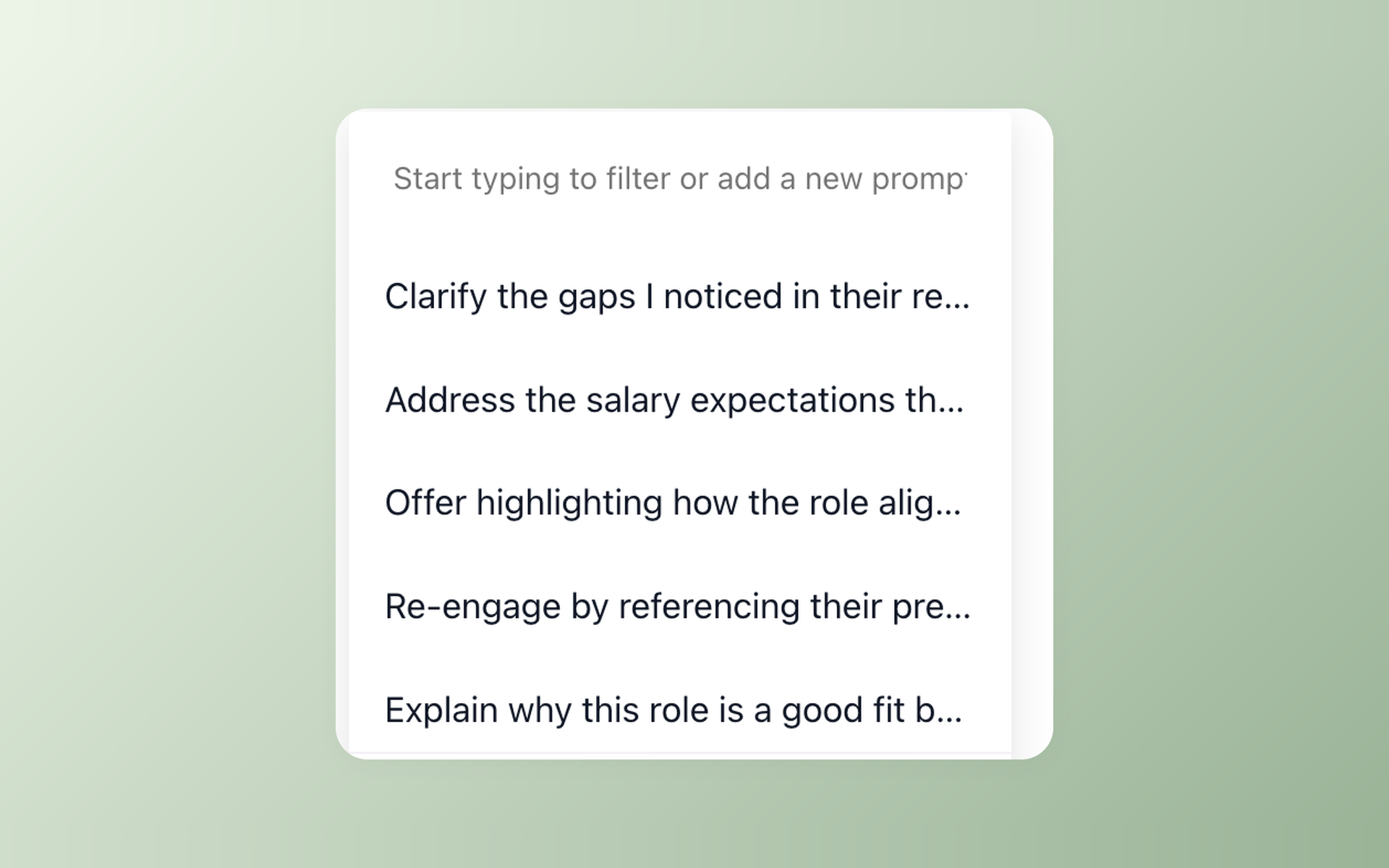
Write the follow-up without losing the candidate context
AI Email Composer prepares a draft from candidate context for recruiter review. Edit the message and keep the final send action with a person rather than an unattended model.
- Context-aware first draft
- Editable recruiter message
- Human-controlled sending
- Follow-up in the candidate record
Self-scheduling links use calendar availability to reduce back-and-forth once a candidate is ready to schedule an interview. Explore recruitment automation software for scheduling and follow-up in the same workflow.
For teams sourcing candidates separately, 100Hires can help find candidates beyond the inbound queue. Candidate contact discovery depends on available identifiers, provider coverage, and plan limits.
100Hires limitations to check before you switch
AI Copilot and AI Score work from documented data. They cannot verify unstated traits or replace a recruiter. Your team reviews the output, checks the underlying record, and makes the hiring decision.
The 14-day trial does not require a card, but it has an AI quota. Posting to external job boards depends on verification and usage limits, so a trial is a practical test rather than an unlimited production plan.
Managed migration is included only with annual Pro after source access and scope review. Other plans require a custom quote. Exact records, fields, files, mapping, and timing depend on the available source data.
Pricing and migration notes
For companies with 1–20 employees, Start is $49 per month on annual billing, or $588 prepaid for the year, and $99 on monthly billing. It covers up to 3 jobs, 100 candidates, and 1 user.
For companies with 1–20 employees, Advanced is $199 per month on annual billing, or $2,388 prepaid for the year, and $249 monthly. It includes unlimited jobs, candidates, and users.
For companies with 1–20 employees, Pro is $399 per month on annual billing, or $4,788 prepaid for the year, and $499 monthly. Managed migration is included with annual Pro after scope review. Enterprise is quote-only.
The annual totals above are derived from published monthly equivalents. Review the current 100Hires pricing and plan limits before choosing.
HiringThing lists plans from $130 per month when billed annually, a derived $1,560 per year. Applicant Tracking starts at $76 per month, and monthly billing is available. Confirm the exact package, limits, and quote with HiringThing.
For the move, confirm the files HiringThing can provide before defining the destination scope. A support-requested, fee-quoted standard HiringThing export is documented. 100Hires confirms supported mapping after it reviews the available source data.
This page does not promise an instant transfer, every record or attachment, no downtime, or a fixed completion date. Those details require source access, field review, and an agreed scope.

It solved all of my recruitment problems and offered all of the features I was looking for. It can automate most of my recruitment processes.

I’d happily recommend it to my industry peers. I’m able to use the platform with ease and don’t have to think twice about which function to use.

The system is very user-friendly. Even people with no experience will find it easy to understand its functionality.







 4.7
4.7
 4.8
4.8
The hiring playbook, in your inbox
One email a week - benchmarks, AI screening tactics, and short interview templates from the 100Hires team. No product pitches.