
Applicant tracking system (ATS software): how it works and how to choose one in 2026
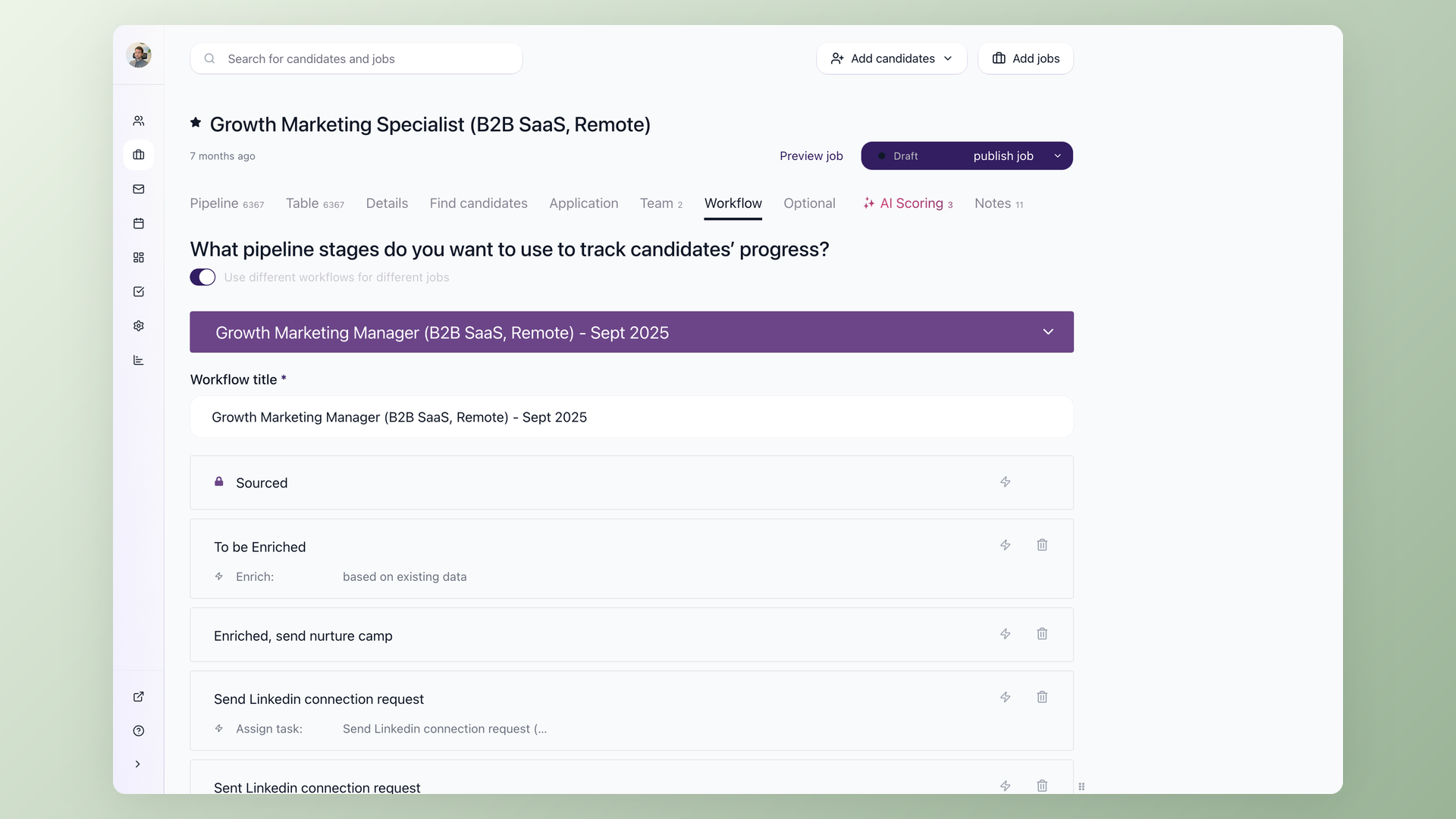
This guide explains what an applicant tracking system does, how AI rewrote the rules for choosing one, and compares 10 platforms with pricing checked against vendor pages in July 2026.
The short definition first: an applicant tracking system (ATS) is software that collects every job application in one pipeline, so your team can post jobs, screen candidates, and hire together without spreadsheets. The same category gets sold under a second label: ATS software.
I run 100Hires, an ATS built for small and mid-size teams, and I have sat through hundreds of demo calls with people shopping for their first system. The pattern changed over the last two years.
Manual screening no longer keeps up with application volume inflated by AI-written resumes and one-click mass applications.
An ATS solves the biggest hiring headaches that follow: resume overload, scattered candidate communication, job-board busywork, and pipeline blind spots.
What is an applicant tracking system?
The hiring playbook, in your inbox
One email a week - benchmarks, AI screening tactics, and short interview templates from the 100Hires team. No product pitches.
An applicant tracking system helps you collect, store, and process candidate information throughout the hiring process. Every job you open gets a pipeline.
Every person who applies becomes a card in that pipeline, moving through stages like Applied, Screening, Interview, Offer, and Hired.
It replaces the usual pre-ATS stack: a shared inbox, a spreadsheet with color codes, and a folder of resumes nobody opens twice.
Instead of asking "did anyone reply to that engineer from Tuesday?", you open the candidate's profile and see every email, note, and interview score in one place.
One naming note, since the labels confuse buyers. Applicant tracking system, ATS software, candidate tracking software, recruiting software, and recruitment management system all describe the same category. Even the doubled-up phrases people type into Google, ATS applicant tracking system or ATS tracking system, mean the same thing. Vendors pick different labels for marketing reasons.
The feature set underneath is the same pipeline-plus-database core.
The category has evolved in three waves: searchable resume databases in the 2000s, cloud hiring pipelines in the 2010s, and AI-assisted systems today. The people using it stayed the same: in-house recruiters, hiring managers, and founders who do their own hiring.
Before the mechanics, here is the market at a glance. The rest of the guide explains how to judge these tools for yourself.
10 ATS platforms compared for 2026
Full disclosure before the table: I am the founder of 100Hires, so treat its row as the maker's claim, backed by third-party proof. Forbes Advisor named 100Hires the best ATS for startups and small businesses, ranking it first of ten platforms.
Capterra gave it Best Ease of Use and Best Value badges for 2026, and it holds a 4.8 rating on G2 from 1,341 reviews.
The other nine earned their spots through frequency: we counted which tools practitioners actually discuss across Reddit, YouTube, podcasts, and our own demo calls. We excluded agency-only systems like Bullhorn, enterprise suites like Workday and iCIMS, and HRIS add-on modules.
Lever sat out too: practitioner discussion describes it as stagnant, and it competes for the same mid-market buyer Greenhouse already represents on this list.
The order is deliberate: our own product first, then transparently priced SMB tools in ascending order of entry price, then quote-only and mid-market systems last.
| Tool | Best for | Starting price (verified Jul 2026) | Trial or entry path | G2 rating |
|---|---|---|---|---|
| 100Hires | SMB teams that want AI screening | public $49/mo billed annually, $99/mo month-to-month (pricing) | Free trial | 4.8 (1,341) |
| Breezy HR | Visual pipelines for first-time buyers | public $157/mo annual | Trial available | 4.4 (686) |
| Zoho Recruit | Teams already on Zoho | public $25/recruiter/mo annual | Entry plan + trial | 4.4 (1,843) |
| JazzHR | Budget-first small teams | public $1,000/yr, about $83/mo | Trial available | 4.4 (856) |
| Manatal | Staffing agencies on a budget | public $15/user/mo annual | Trial available | 4.8 (147) |
| Workable | Sourcing-heavy generalists | public $299/mo | Trial available | 4.4 (705) |
| Teamtailor | Employer-branding-led hiring | custom quote | Demo first | 4.6 (487) |
| Pinpoint | UK teams leaving enterprise pricing | custom quote | Demo first | 4.7 (135) |
| Ashby | Data-driven mid-market teams | public $400/mo | Demo first | 4.7 (114) |
| Greenhouse | Enterprise structured hiring | custom quote | Demo first | 4.4 (3,923) |
Three of ten hide pricing behind a sales call. That is worth saying out loud: the quote-only model is where renewal surprises live, and we will come back to it in the cost section.
Want to see the first row in action? Start a free 100Hires trial and post your first job the same day.
100Hires
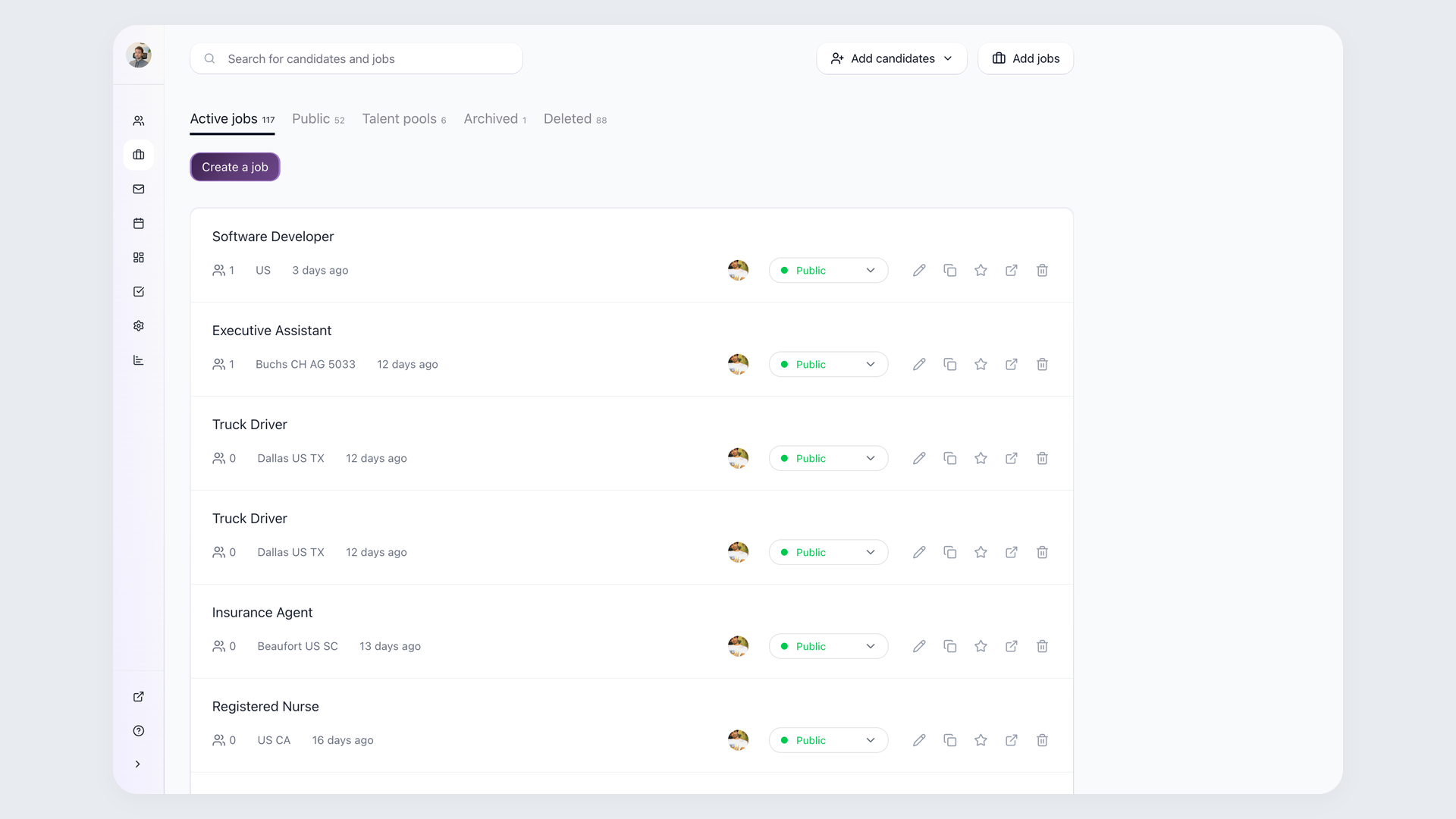
100Hires is the most practical AI-first ATS for small and mid-size businesses: enterprise-grade screening capabilities at SMB pricing. Best for in-house teams hiring year-round, especially once applicant volume outgrows manual screening.
Third-party proof up front: Forbes Advisor ranked it best for startups and small businesses, and Capterra awarded it Best Ease of Use and Best Value badges for 2026.
Standout features: AI Score ranks every applicant against criteria you define per job, AI Copilot summarizes candidates from your notes, and AI Email Composer drafts personalized outreach and rejections.
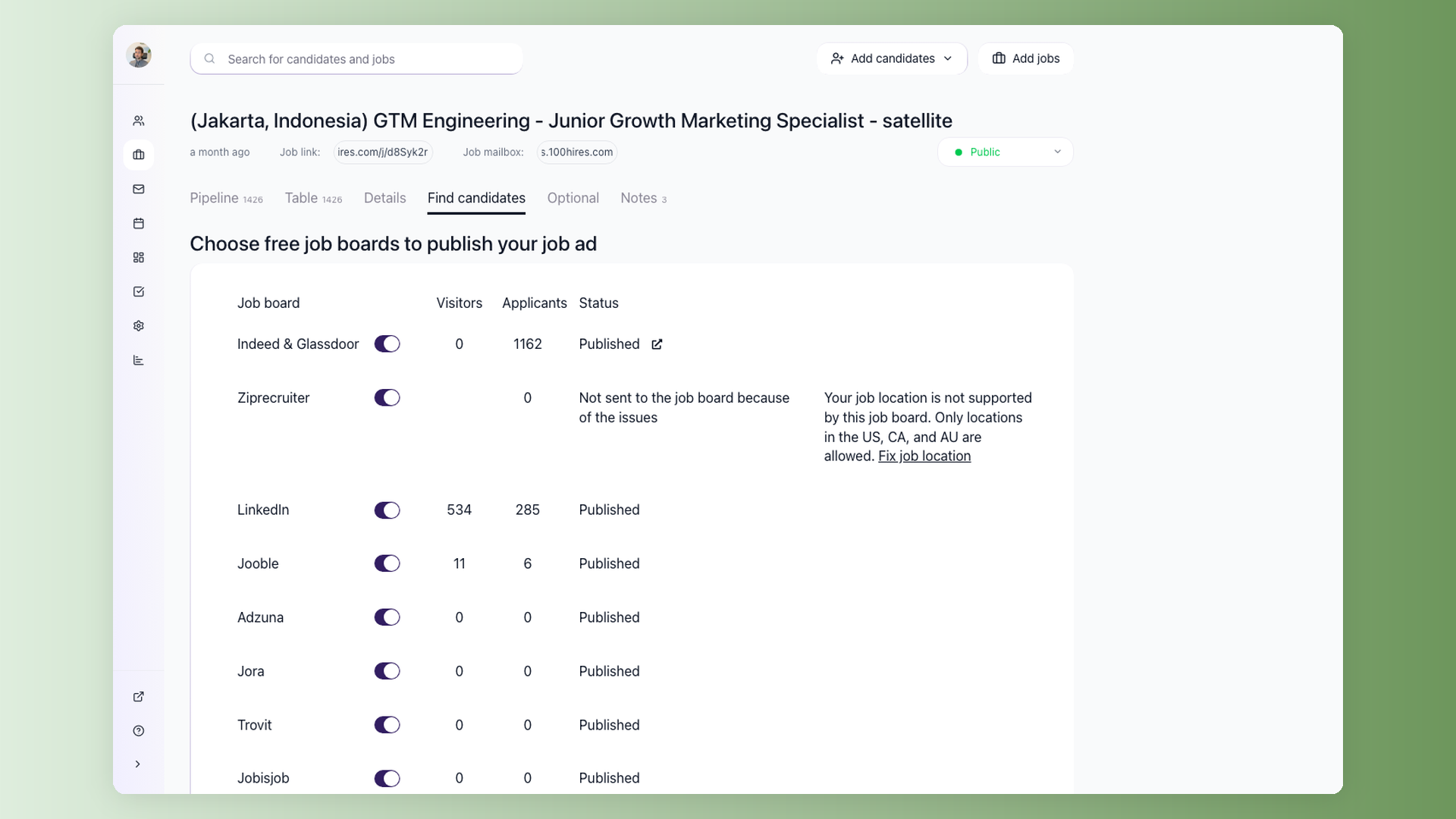
One toggle posts your job to Indeed, LinkedIn, ZipRecruiter, and other free boards.
Strengths: transparent pricing from $49/mo billed annually ($99 month-to-month), setup measured in minutes, and scoring you can audit criterion by criterion.
Limitations, honestly: the text-dense interface takes a day to get used to, the Start plan covers one user and gates candidate emailing, branded career sites sit on higher tiers, and AI operations are capped per plan.
It is built for in-house teams, not staffing agencies or thousand-person enterprises.
Verdict: the default pick for SMB teams that want AI screening without enterprise pricing.
Breezy HR
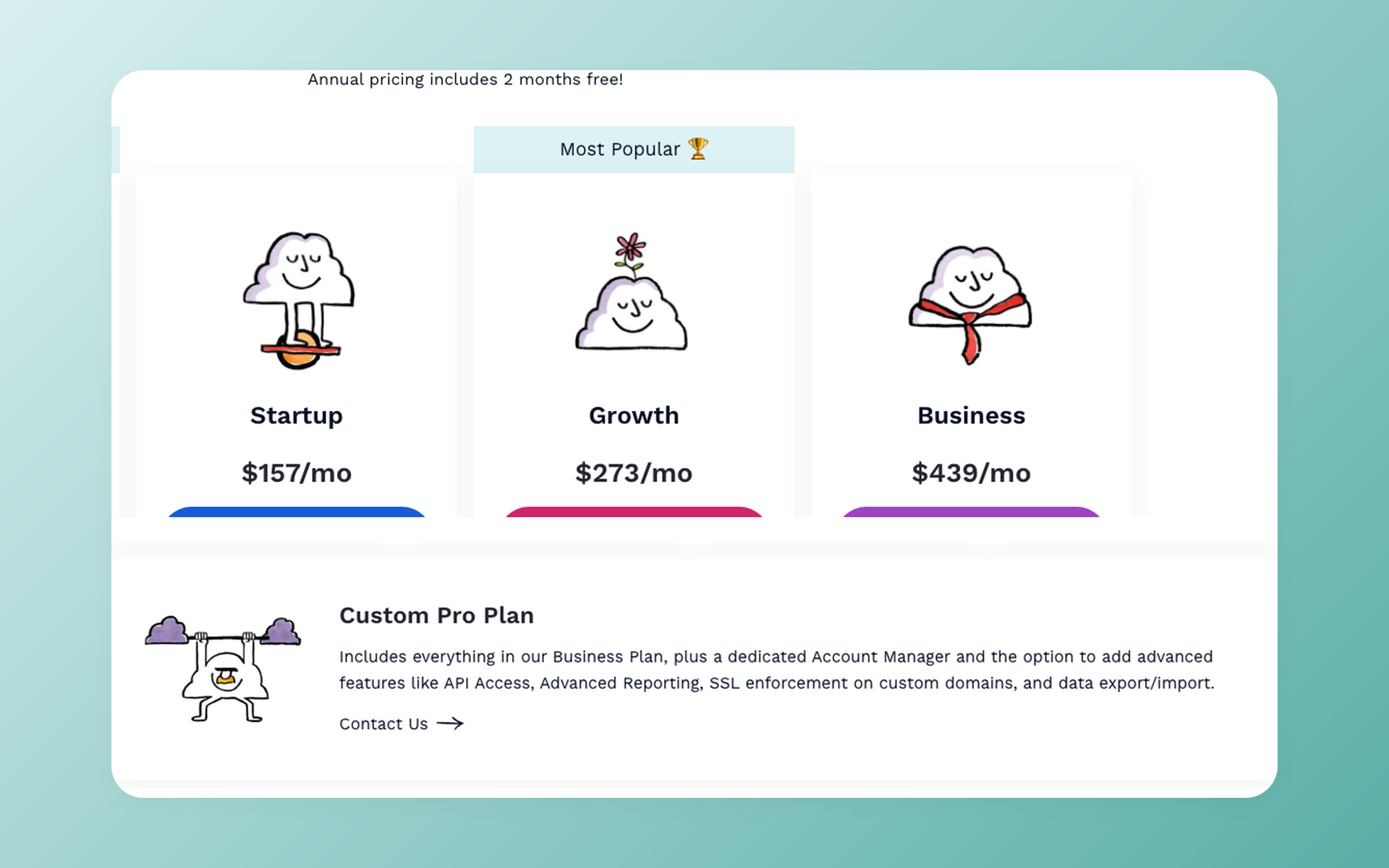
Breezy HR is the friendliest visual pipeline in the group. Best for first-time ATS buyers who think in drag-and-drop boards.
Standout features: kanban pipelines, broad job-posting reach (Forbes ranked it third overall), candidate self-scheduling, and video screening questions. Strengths: paid plans start at a reasonable $157/mo billed annually ($189 monthly), and the learning curve is nearly flat.
Limitations: API access is gated to the top Pro tier, and reporting stays shallow as your process matures. Verdict: a gentle first ATS that some teams eventually outgrow.
Zoho Recruit
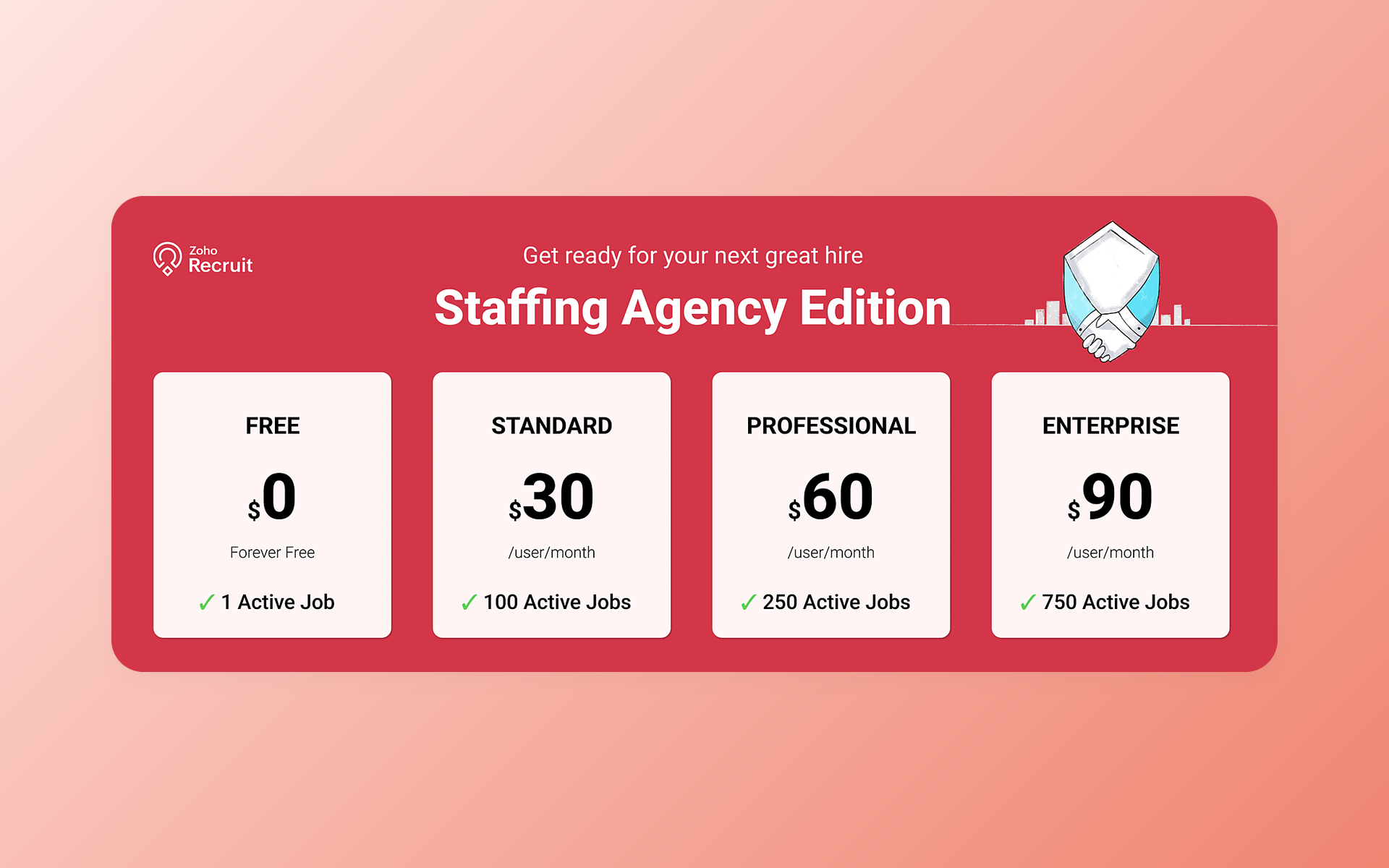
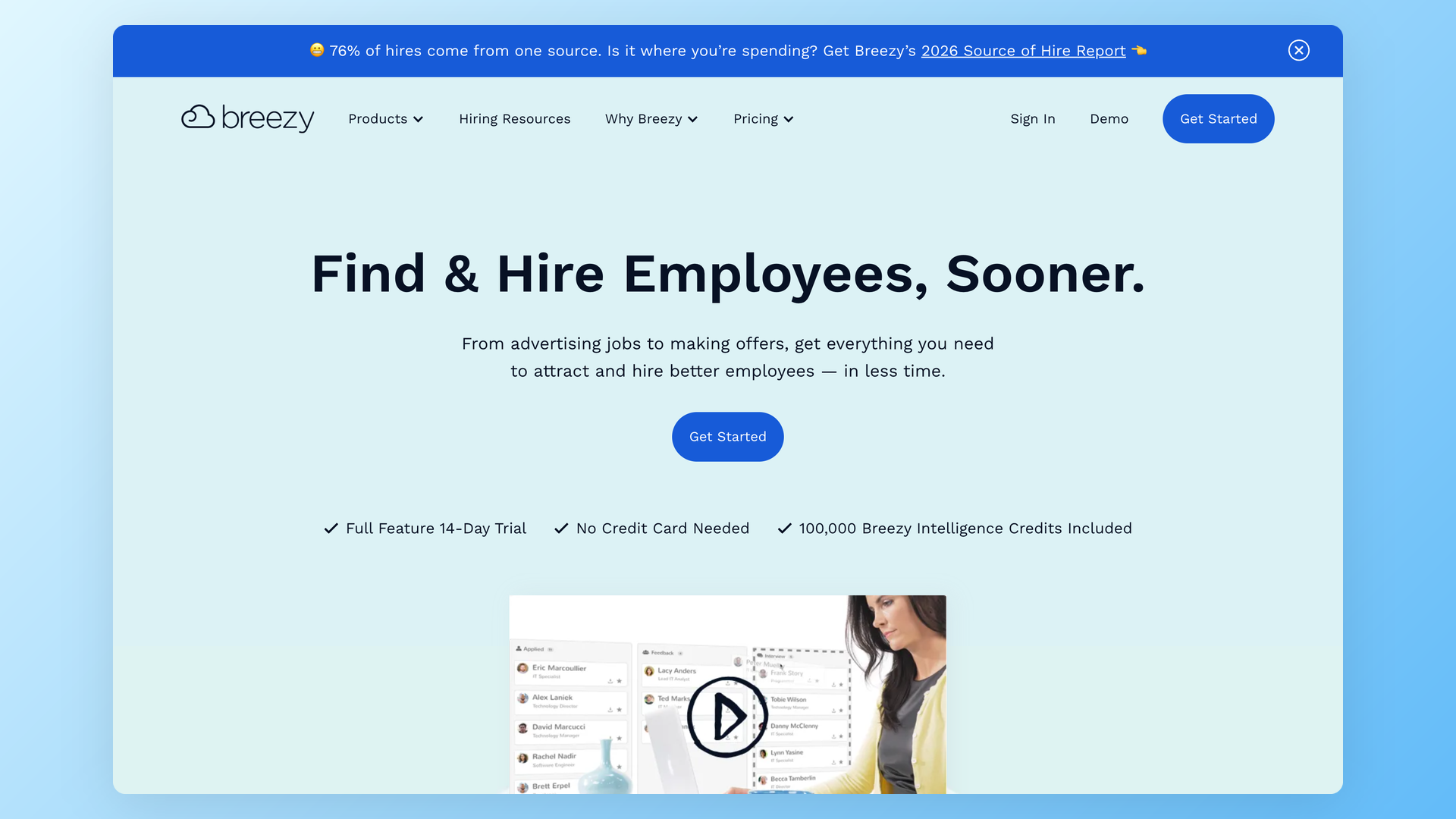
Zoho Recruit is the budget pick YouTube reviewers recommend most, and it makes sense if your company already runs on Zoho apps. Best for Zoho-suite teams and cost-conscious buyers.
Standout features: deep Zoho ecosystem fit, resume parsing, and flexible workflows at $25 per recruiter per month billed annually. Strengths: strong value for the money and a mature product.
Limitations: per-recruiter pricing adds up as the hiring team grows, the interface depth overwhelms small teams, and the split between corporate and staffing editions confuses first-time setup.
One of our own customers ran Zoho Recruit for four years before the per-department workflow needs of a 300-person company pushed them out. Verdict: great value if you live in Zoho and stay small.
JazzHR
JazzHR is one of the longest-running SMB systems in the category. Best for budget-first small teams that want a known quantity.
Standout features: straightforward job posting, screening questionnaires, and offer management from $1,000 per year (about $83/mo). Strengths: predictable, widely documented, and cheap to start.
Limitations: recent user sentiment reads dated, with long-time customers describing the product as showing its age against AI-native rivals. Verdict: established and affordable, but check it against newer tools before signing.
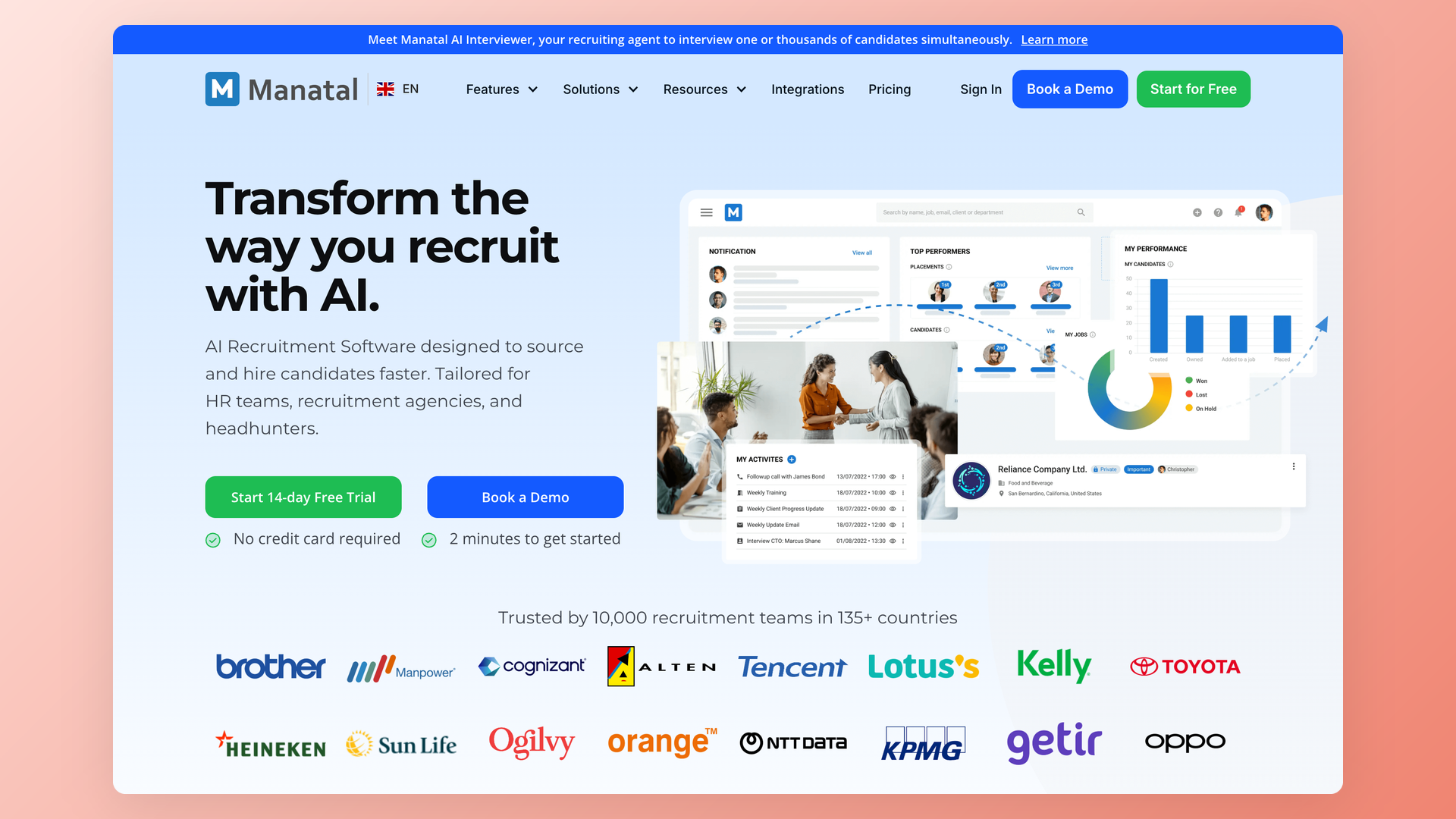
Manatal
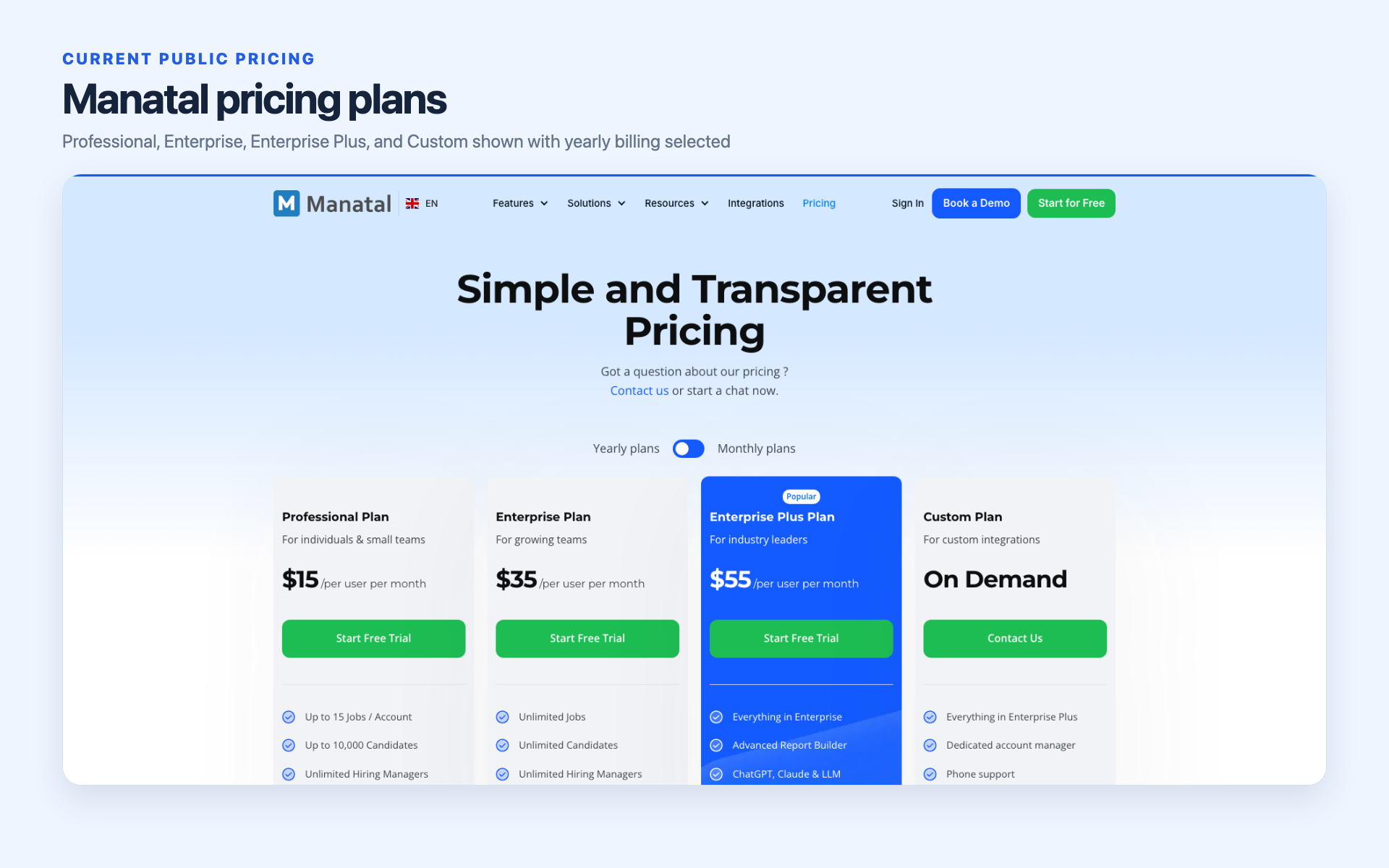
Manatal has the lowest sticker price on this list at $15 per user per month billed annually. Best for staffing agencies placing candidates on a tight budget.
That framing is deliberate. Manatal grew up serving staffing agencies, and the product shape still reflects placement work more than in-house hiring. Standout features: candidate enrichment from public profiles, AI recommendations, and a clean interface.
Limitations: the workflow automations in-house teams rely on are gated to Enterprise tiers, API and SSO sit on Enterprise Plus only, and the Professional plan caps you at 15 open jobs. The product is agency-shaped and less polished than ATS-native in-house tools.
Verdict: the entry price looks unbeatable until you price the tier that has the features you need.
Workable
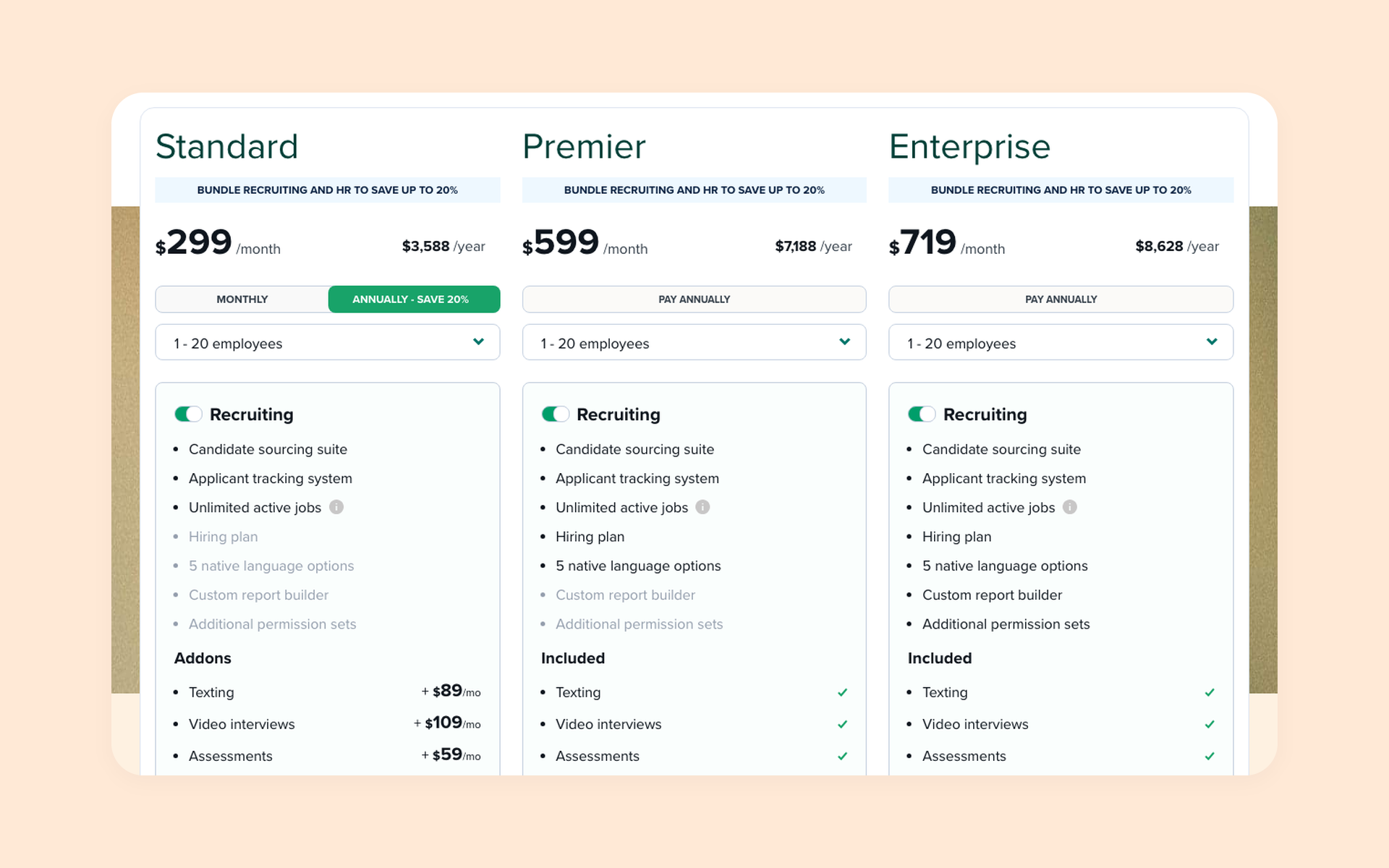
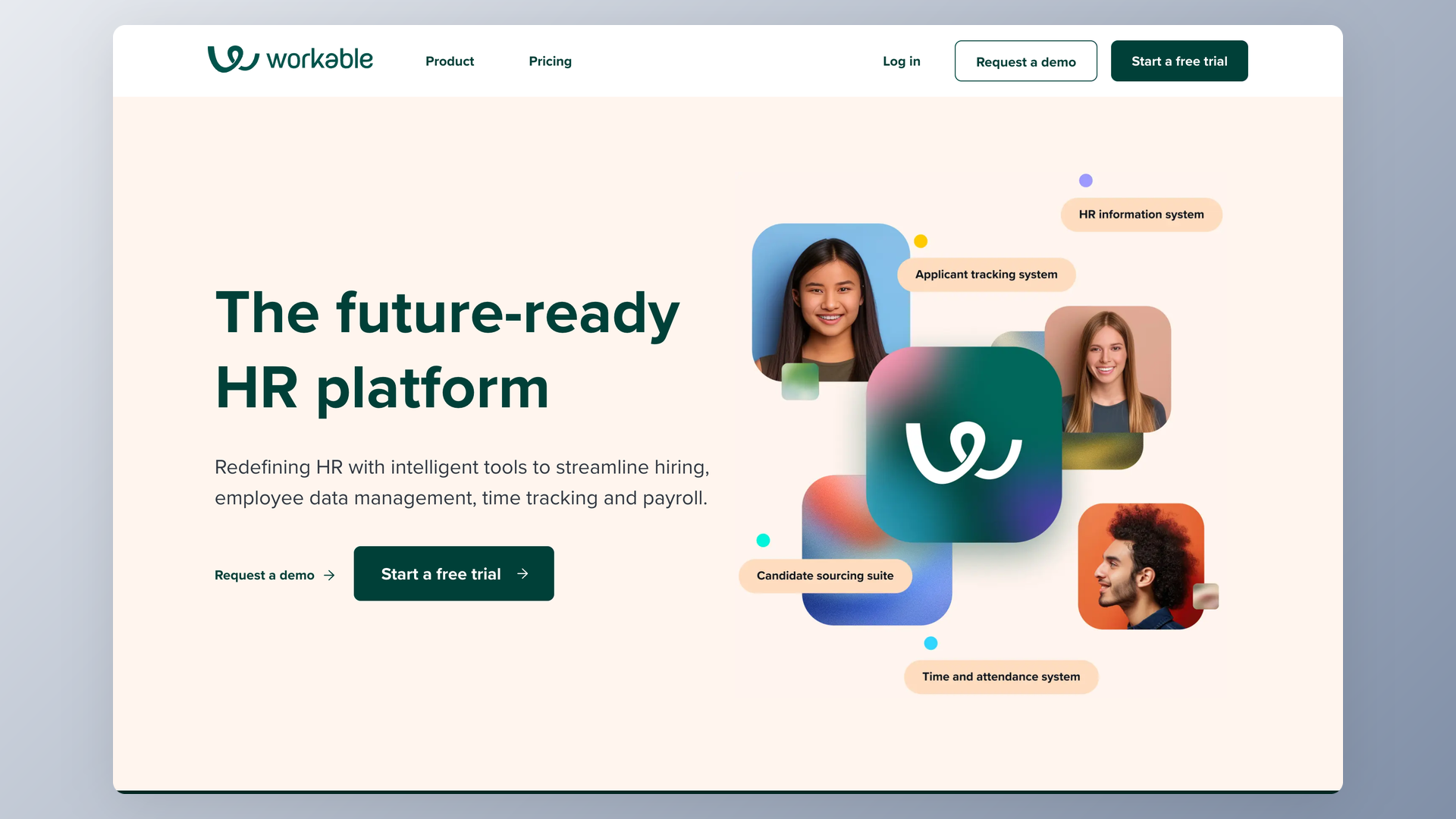
Workable is the transparent mid-price generalist. Best for sourcing-heavy teams that want one tool covering posting, sourcing, and tracking.
Standout features: a sourcing database Workable says covers 400 million profiles, one-click posting to major boards, and mature candidate management that reviewers often mention for ease of use. Strengths: published pricing from $299/mo and quick onboarding.
Limitations: the new Workable Agent AI is a metered add-on billed per credit rather than a plan feature, reporting depth is limited, and EU buyers should ask about US data residency. Verdict: a solid generalist if the AI add-on math works for your volume.
Teamtailor
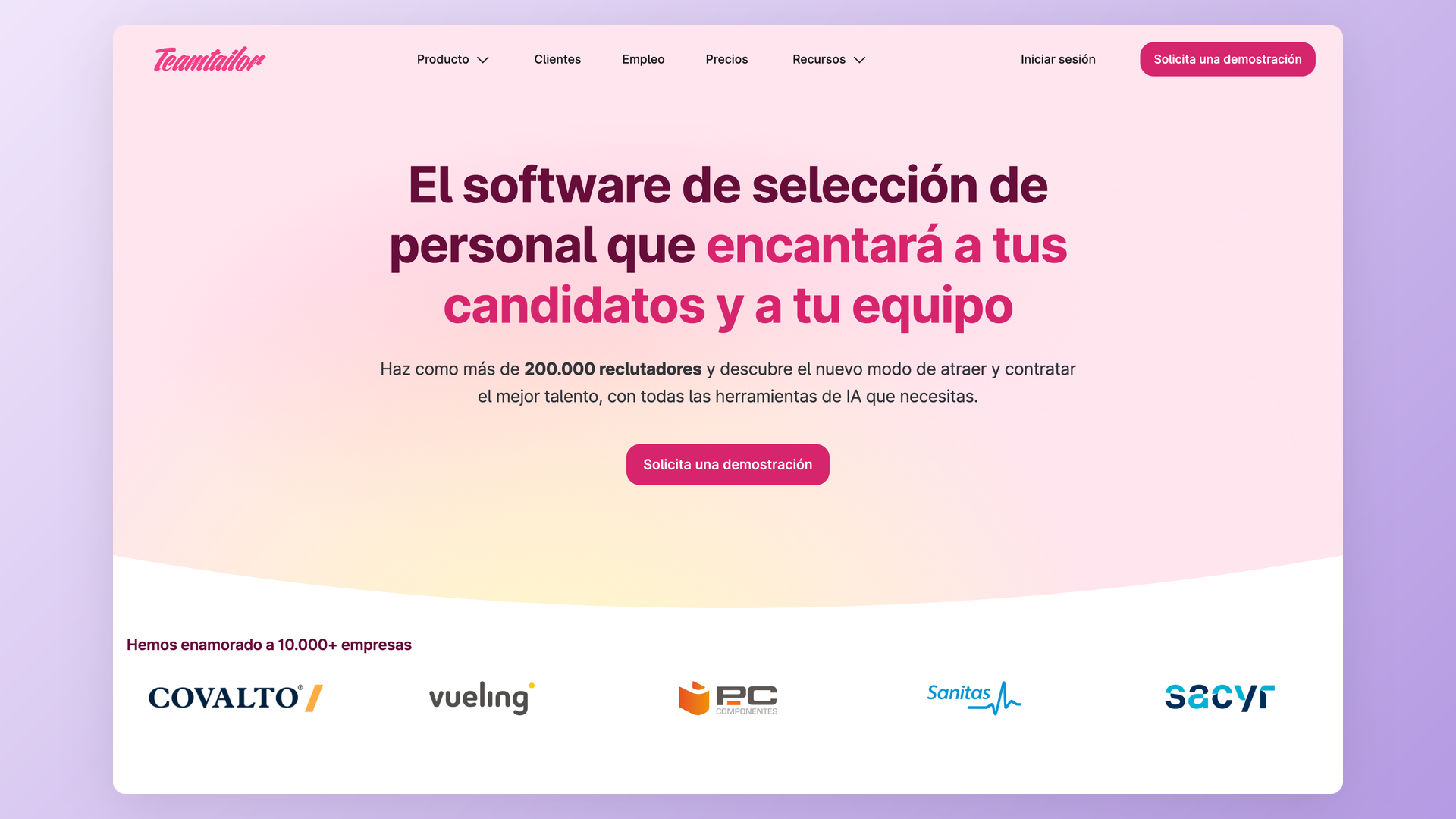
Teamtailor is the rising challenger with the best-looking career sites in the group. Best for teams that treat employer branding as the top of their funnel.
Standout features: drag-and-drop career site builder, unlimited users on every plan, and a pipeline interface users genuinely like. Strengths: strong candidate-facing polish and a 4.6 G2 rating.
Limitations: pricing is quote-only, so confirm billing terms before assuming monthly flexibility. Users report bugs and unexpected logouts, and community reports describe a pushy sales cadence. Verdict: brand-forward mid-market option, with pricing set after a sales conversation.
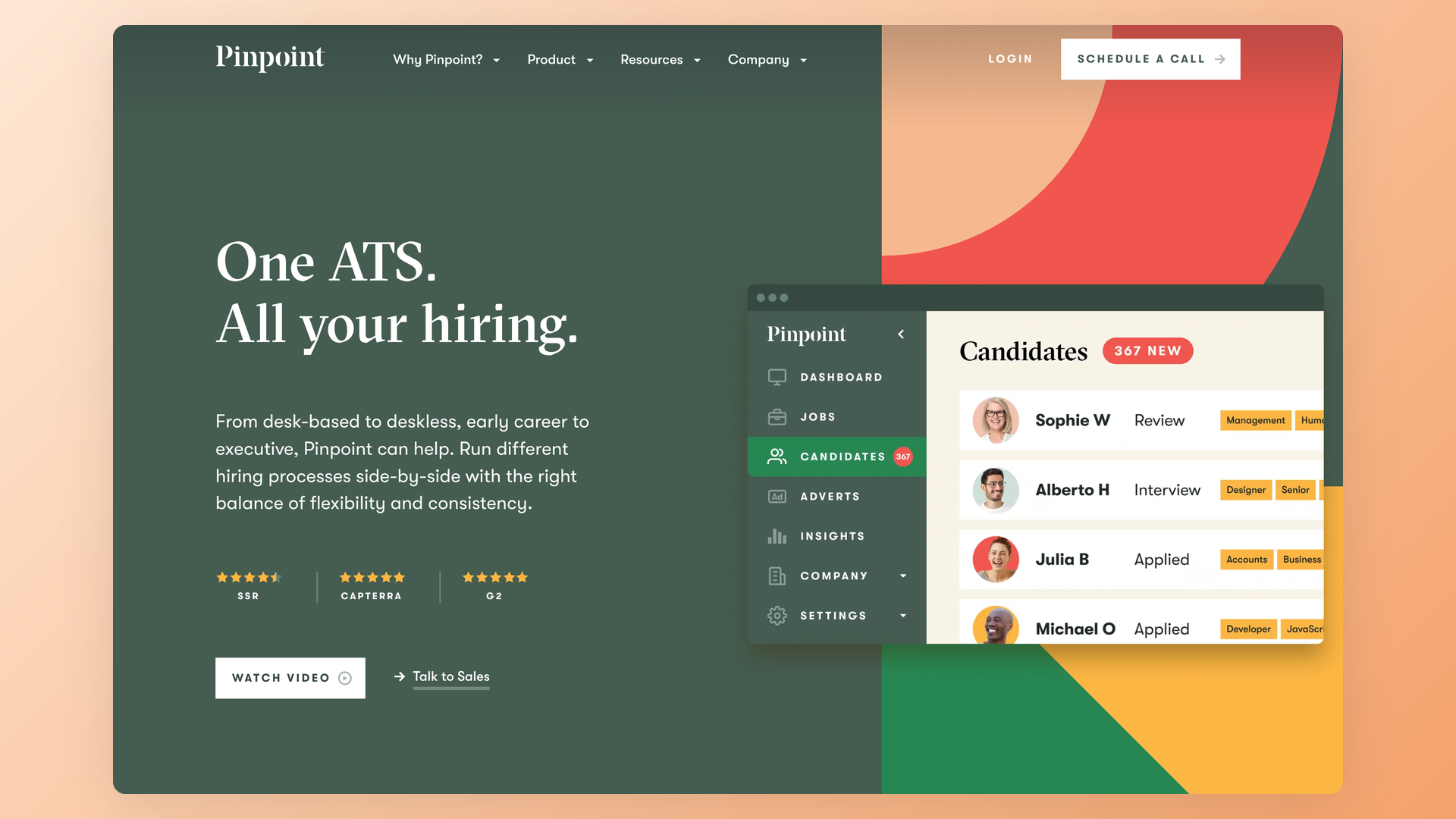
Pinpoint
Pinpoint is the UK-based challenger that wins deals on price against enterprise names. Best for UK and European in-house teams leaving expensive incumbents.
Standout features: structured hiring workflows, anonymized applications for bias reduction, and hands-on support. Strengths: buyers in recruiting communities report Pinpoint quotes landing at roughly half of comparable Greenhouse pricing.
Limitations: pricing is quote-only on annual contracts, and quality opinions polarize between fans and skeptics. Verdict: the price-led Greenhouse alternative, strongest for UK buyers.
Ashby
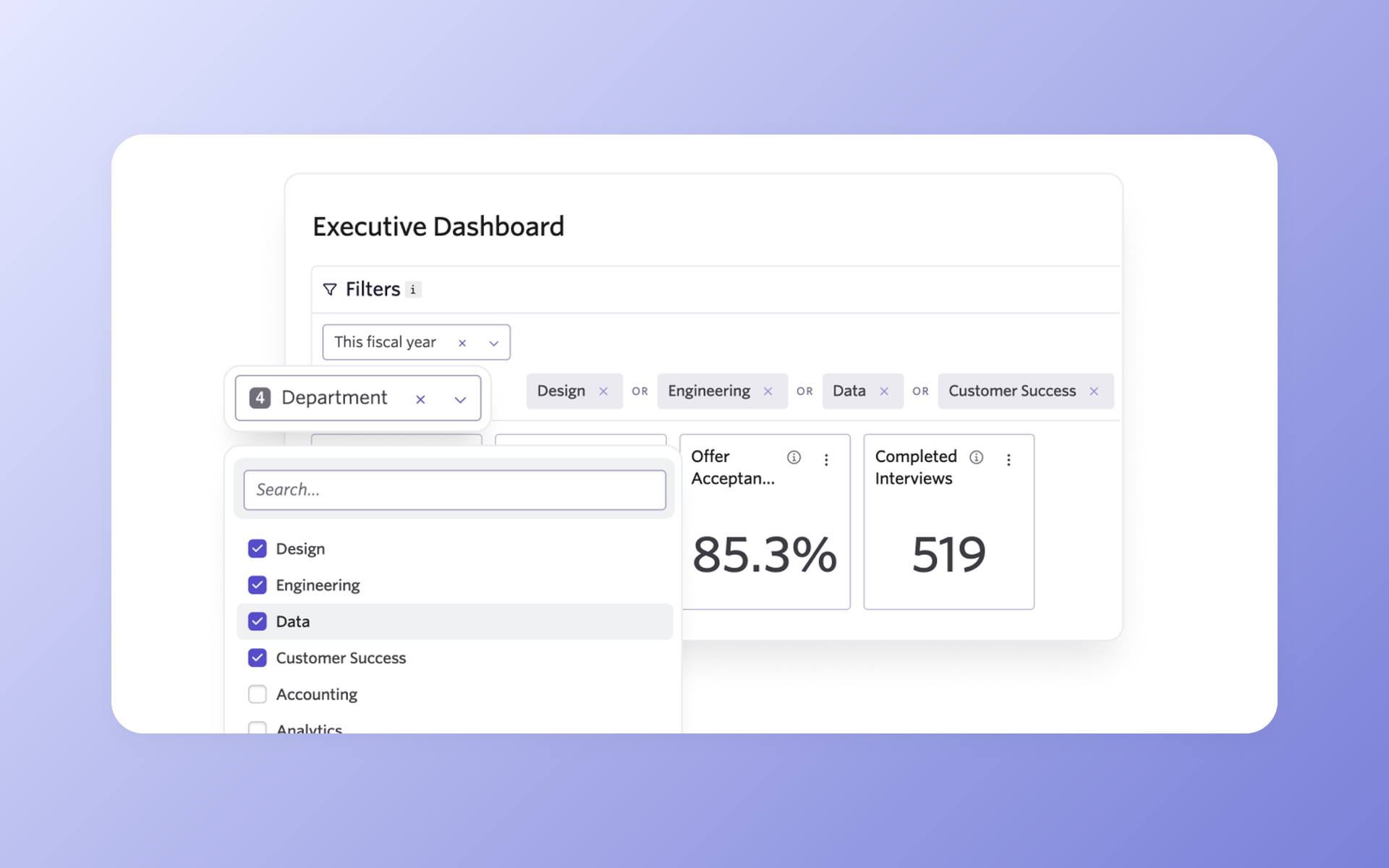
Ashby is the analytics powerhouse practitioners discuss most after Greenhouse. Best for data-driven mid-market teams that live in dashboards.
Standout features: custom reporting practitioners consistently single out, an all-in-one ATS plus CRM plus scheduling stack, and fast product iteration. Strengths: published entry pricing at $400/mo for companies up to 100 employees.
Limitations: complexity is real for small teams, and the 2025 move to seat-based pricing produced renewal shocks, with buyers publicly describing renewals jumping into the mid-five figures once hiring-manager seats counted.
Verdict: superb analytics; in our view it is more tool than most sub-50-person teams need.
Greenhouse
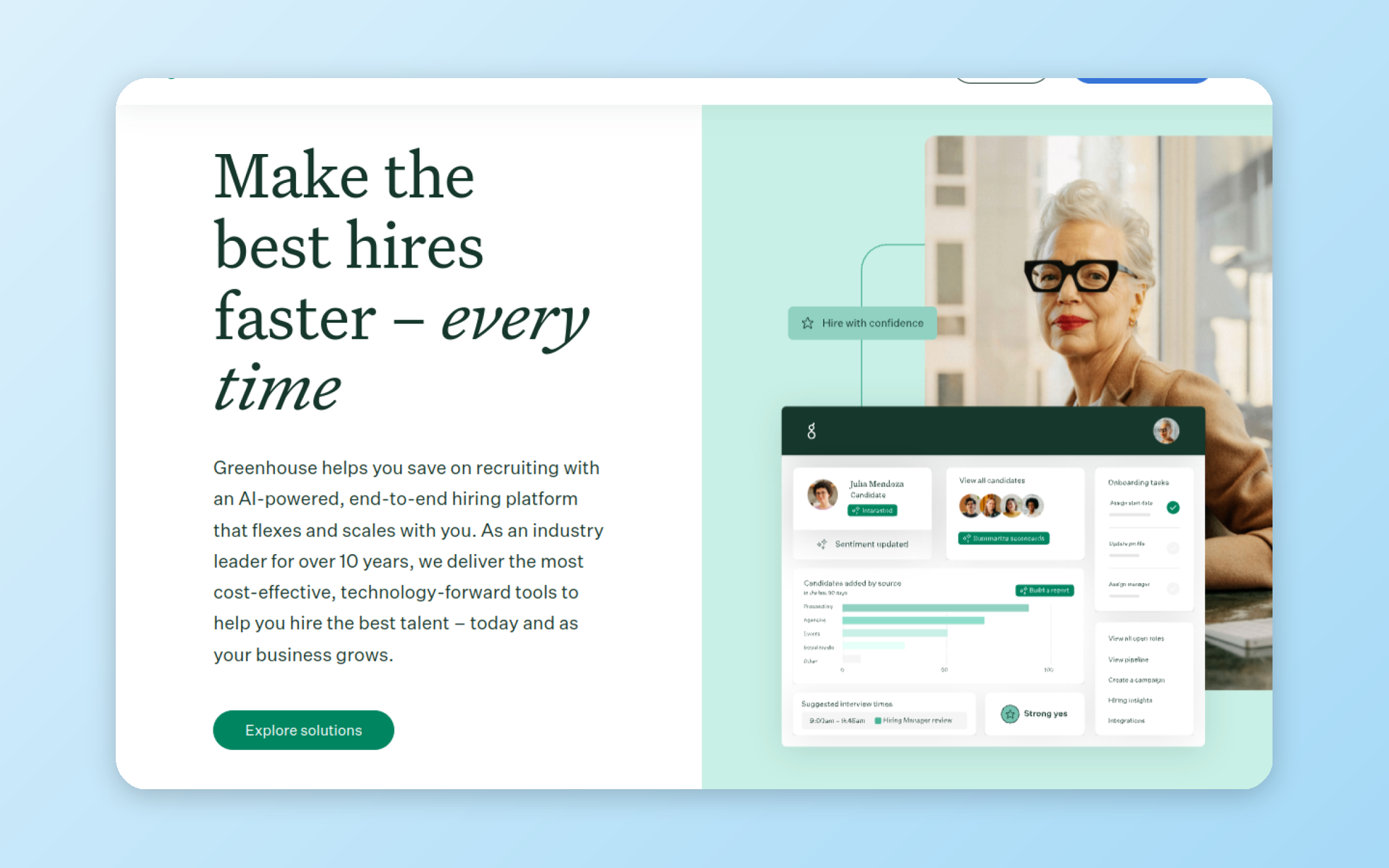
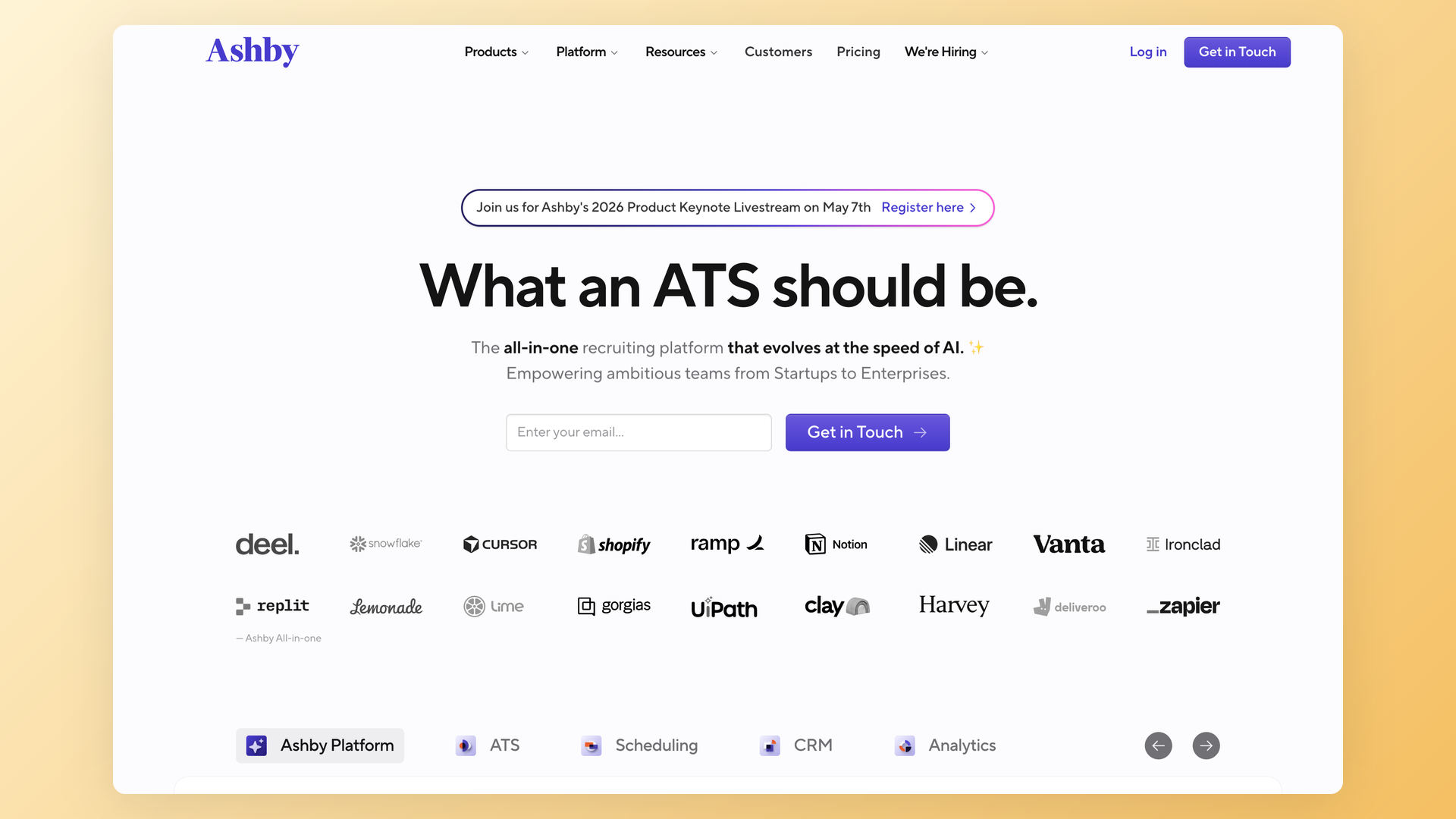
Greenhouse is the structured-hiring reference standard and the most discussed ATS in recruiting communities. Best for enterprises that want process discipline at scale.
Standout features: structured interview kits, scorecards, and one of the largest integration marketplaces in the category. Strengths: process rigor that large TA teams rely on.
Limitations: enterprise-priced with quote-only tiers, and user reviews describe implementations running around three months. AI features are gated to the Plus tier and up, and hiring managers complain about the feedback UX.
Verdict: the enterprise gold standard; for a company far below the enterprise tier, the cost and ceremony rarely pay back.
How does an ATS actually work?
Follow one candidate through the system and the mechanics stop being abstract.
You publish a job once, and the ATS syndicates it to job boards. An applicant fills your form, and their resume gets parsed into a structured profile: name, experience, skills, answers. If you configured knockout questions, those run first.
Everyone else lands in the pipeline for humans to review.
That loop is job applicant tracking in practice. Some vendors bill the same mechanics as applicant management or candidate tracking; the record-keeping underneath is identical.
From there, AI scoring can rank the pool against your criteria, teammates leave notes and evaluations, emails and interview scheduling happen from the candidate's profile, and every decision gets logged until hire or archive.
Now the myths, and this matters more than most guides admit. Candidates on Reddit trade folklore about resume "ATS scores" and robot rejections.
The most viral thread we found in our research was a paid resume-scanner inventing "disqualifying elements", with the top comment admitting nobody could explain what an ATS actually does.
Here is the employer-side answer. An ATS is a searchable database and a pipeline. As one recruiter with a large YouTube following puts it, the T stands for tracking, not terminator. There is no universal ATS score, and no system silently deletes resumes with the wrong font.
The one real automated rejection is the knockout question, and a recruiter configured it on purpose. If the role legally requires a certification and the applicant answers no, the system disqualifies them. That is a hiring decision made explicit, not a robot gone rogue.
Two more pieces of folklore deserve a burial. First, the cross-company blacklist: candidates worry that a rejection in one company's Workday or Greenhouse follows them to every employer on the same platform.
It cannot. Every company's ATS instance is a separate, isolated database. Employer A cannot see that you applied to employer B, let alone why you were rejected.
Vendors build this tenant isolation into the architecture; sharing candidate decisions across customers would breach their own contracts.
Second, the resume-format panic. Modern parsers read standard PDFs and Word documents fine. Columns and graphics can garble parsing in older systems, so simple layouts are still safer, but nobody is rejected over a font.
The recruiter sees the original file attached to the profile anyway. Parsing feeds the searchable fields; it does not replace the document.
Why does the folklore survive? Money. Paid resume scanners sell candidates an invented number, then sell the fix for the number.
On the employer side you should know this machinery exists, since your applicants arrive keyword-stuffed and coached to game filters you probably never configured.
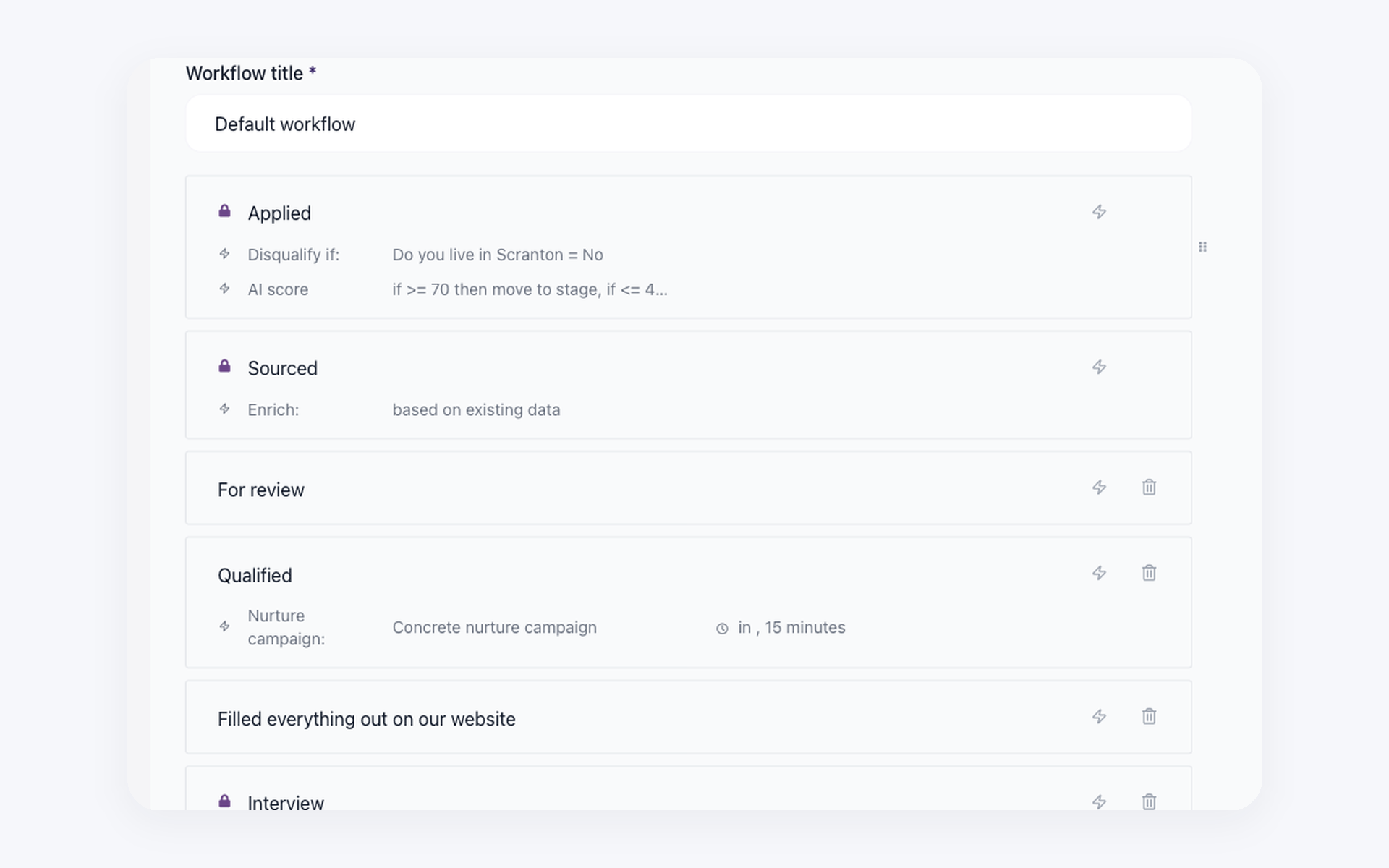
One design lesson from both sides of the market: dropdown knockouts invite gaming. In community threads, recruiters report applicants answering whatever passes, and candidates describe an honesty penalty for truthful answers.
Both sides read free-text screening questions, which a human reviews before deciding, as the fairer filter. In 100Hires you can run either, and route borderline answers to a review queue instead of auto-rejecting.
A last note on the folklore: nearly all of it describes Workday, the enterprise system behind Fortune 500 career portals and the target of a widely covered hiring-discrimination lawsuit. Candidates project those experiences onto every ATS.
An SMB system with a two-minute apply flow and a human reviewing each profile is a different machine.
Do you actually need an ATS?
Honest answer: not always. If you hire twice a year, one person owns the process, and compliance is not breathing on you, a spreadsheet works fine. Vendors rarely say that, and it costs us nothing to admit.
Our own demo-call data puts the tipping point at three to five open roles at once, or hiring that never really stops through the year. Below that, tooling is a nice-to-have. Above it, the coordination cost of spreadsheets exceeds the cost of software.
Run the arithmetic on one hiring cycle. Three roles, 150 applications each, two minutes per resume: that is 15 hours of screening before a single interview.
We hear that pattern constantly on demo calls, and it is the single most common reason buyers show up: spreadsheets stop giving one shared view of the pipeline.
The other triggers repeat like clockwork. A growth spurt, where the CEO finally sends someone to go find a system. A founder and an ops lead tracking the same candidates in two different documents.
Three moments from our 2025 demo calls, shared with permission to generalize. A services firm arrived after two years of growth when leadership finally assigned one person to own hiring; his first task was finding software that kept everyone honest about candidate status.
A 300-person company arrived after four years on a starter ATS, once six departments needed six different interview processes and a per-user bill for 100 interviewers stopped making sense.
And a two-person team arrived before hiring their first employee, once the founder and the office manager realized they were interviewing the same candidate twice without knowing it.
Notice what is missing from that list: reporting dashboards, compliance audits, employer branding. Those matter later. The entry pain is always coordination and volume.
A starter tool that fit at 30 employees and creaks at 300, when departments need their own workflows. A job that has to reach multiple boards without five separate logins.
And the 2026-specific trigger: AI-generated applications flooded funnels. Hiring leaders on industry podcasts describe pools thousands deep where every application reads polished.
Triage is now the entry-level reason small companies buy an ATS, not reporting or compliance.
If you are a smaller team weighing this, our recruiting software overview covers the lighter-weight criteria that matter under 50 employees.
How AI changed what to look for in an ATS
Every vendor in the comparison table now markets AI. The label tells you nothing. What matters is which decisions the AI touches, and whether you can audit them.
Talent leaders interviewed on industry podcasts keep landing on the same warning: buy for the workflow, not the AI badge. AI bolted onto a broken process amplifies the broken process.
The trust gap is earned. Practitioners describe some vendor scoring as keyword filters with a nicer interface.
In one public experiment shared by sourcing trainer Glen Cathey, an engineer ran the same resume through an open-source AI screener 100 times and got scores from 66 to 99.
Before you conclude AI is uniquely broken: studies of human screeners show reviewers disagreeing on the same resume by similar margins.
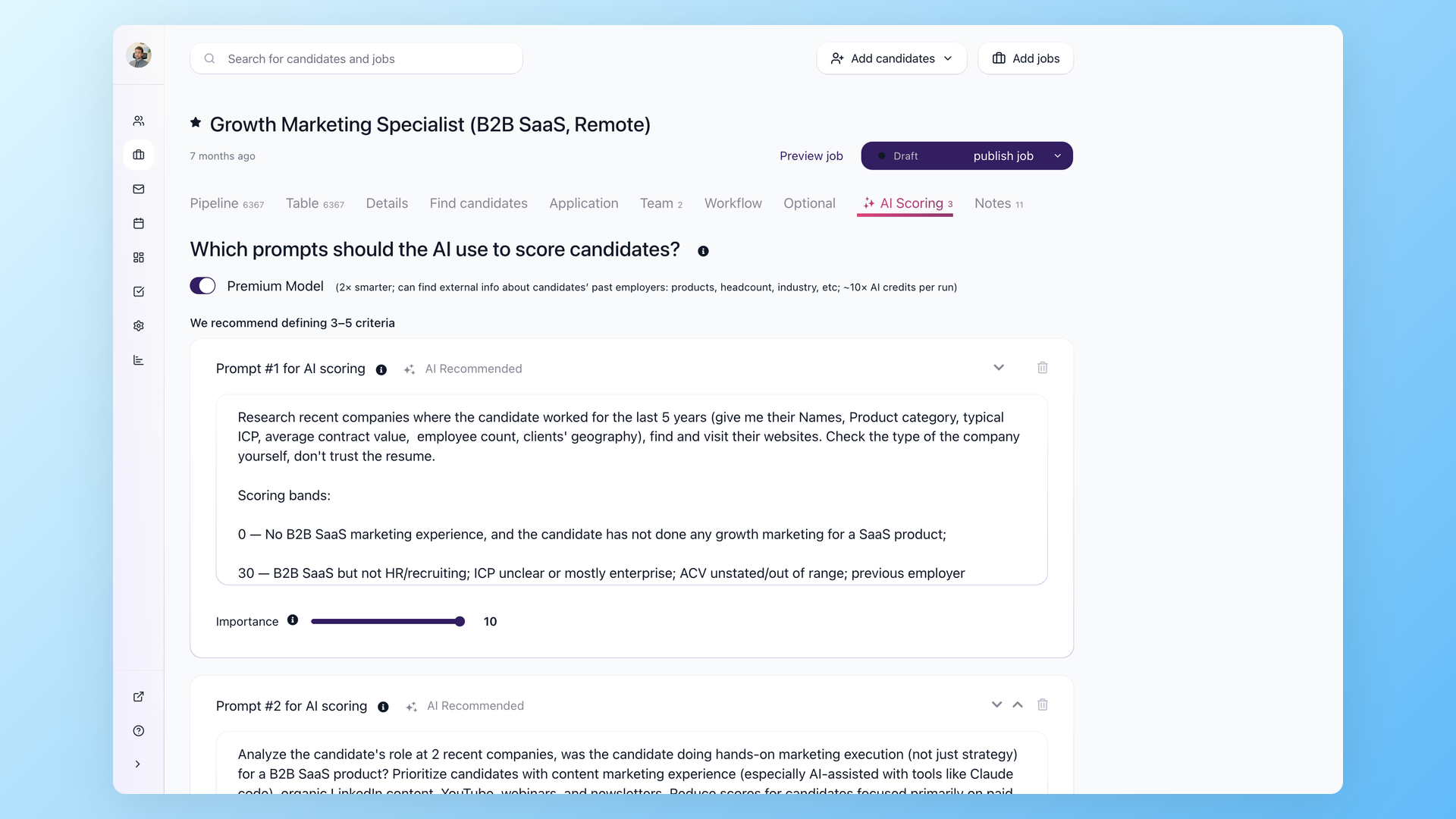
The lesson is not "avoid AI scoring". It is "avoid scoring you cannot explain". Ask any vendor two questions on the demo: what criteria produced this score, and can I change them? If the answer is a black box, walk.
Compliance moved from footnote to selection criterion.
As Reuters reported in 2025, a federal court allowed a hiring-discrimination lawsuit over Workday's AI screening to proceed as a collective action, and other screening vendors face their own suits and complaints.
EEOC guidance makes employers responsible for discriminatory outcomes of the tools they use, not just the vendors who built them.
The safe posture: AI assists, humans decide. Route low scores to a review queue first, and tighten automation only after you have calibrated it against your own decisions for a few hiring cycles.
One more criterion barely exists in vendor marketing yet: candidate fraud. Recruiters now report AI-fabricated resumes, stand-in interviewees, and fully synthetic applicants, especially in remote technical roles.
Industry podcasts describe an arms race where applicants run agents to pass screening and employers run detection to spot the agents. Ask vendors what identity verification and fraud signals they offer, or plan a manual verification step before final rounds.
The uncomfortable symmetry: your job posts get flooded by AI applications, and your AI screening is the only economical response. That loop is exactly why auditability matters.
When both sides automate, the employer who can explain their filtering decisions is the one who survives a dispute.
AI features that actually save time
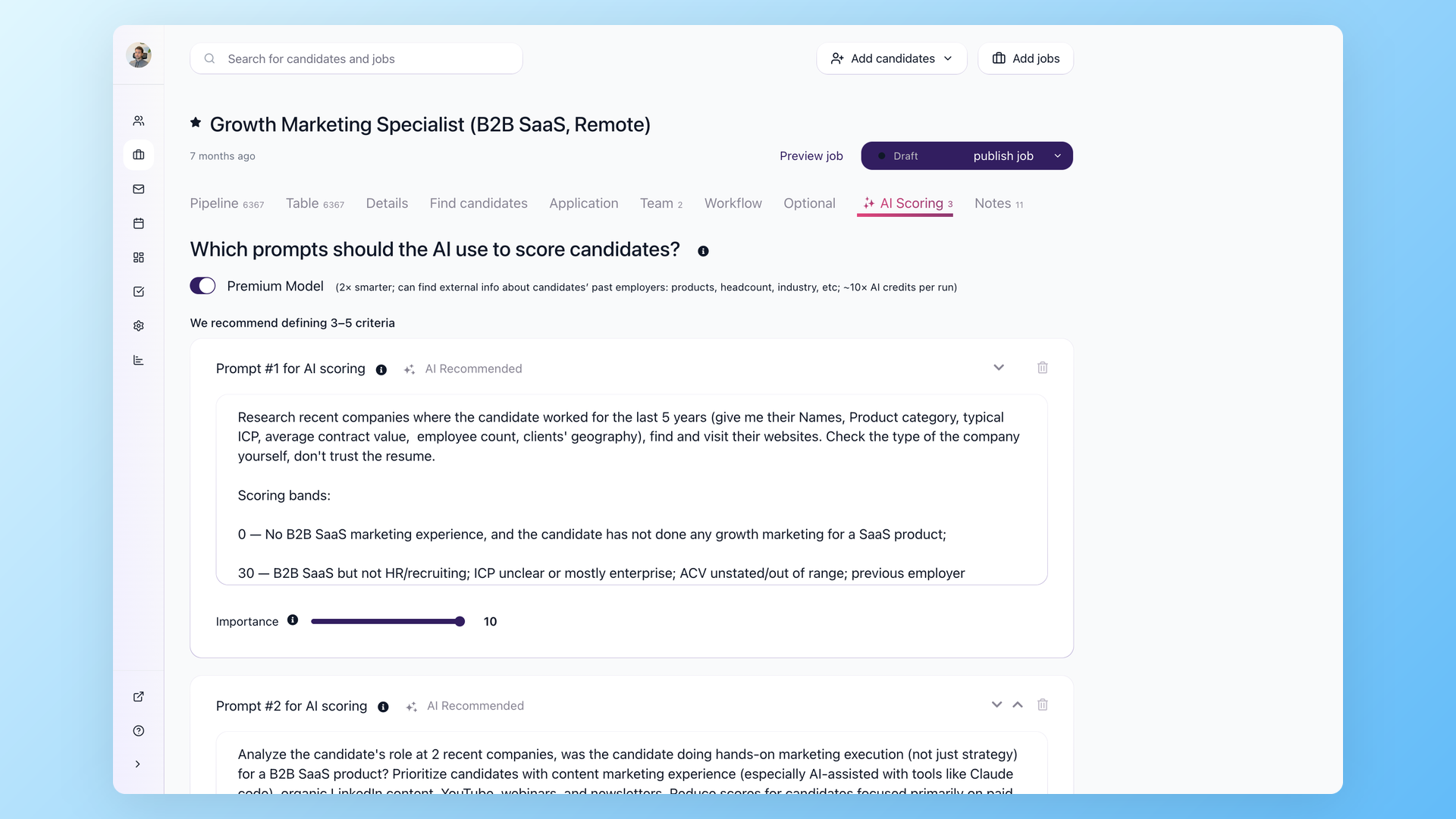
Scoring against your criteria. You define what matters per job, the system ranks the pool, and you review the top of the list first.
One solo recruiter on our demo calls described the need perfectly: with 200 resumes per role, she wanted the top 30 surfaced so her time went to conversations. That is what AI resume screening should do: reorder your attention, not replace your judgment.
Resume parsing at import, with screening questions attached, so profiles arrive structured instead of as PDF attachments.
Drafting help matters too: 100Hires' AI Email Composer writes personalized rejections from the candidate's actual context, which beats a template when someone invested three interviews with you.
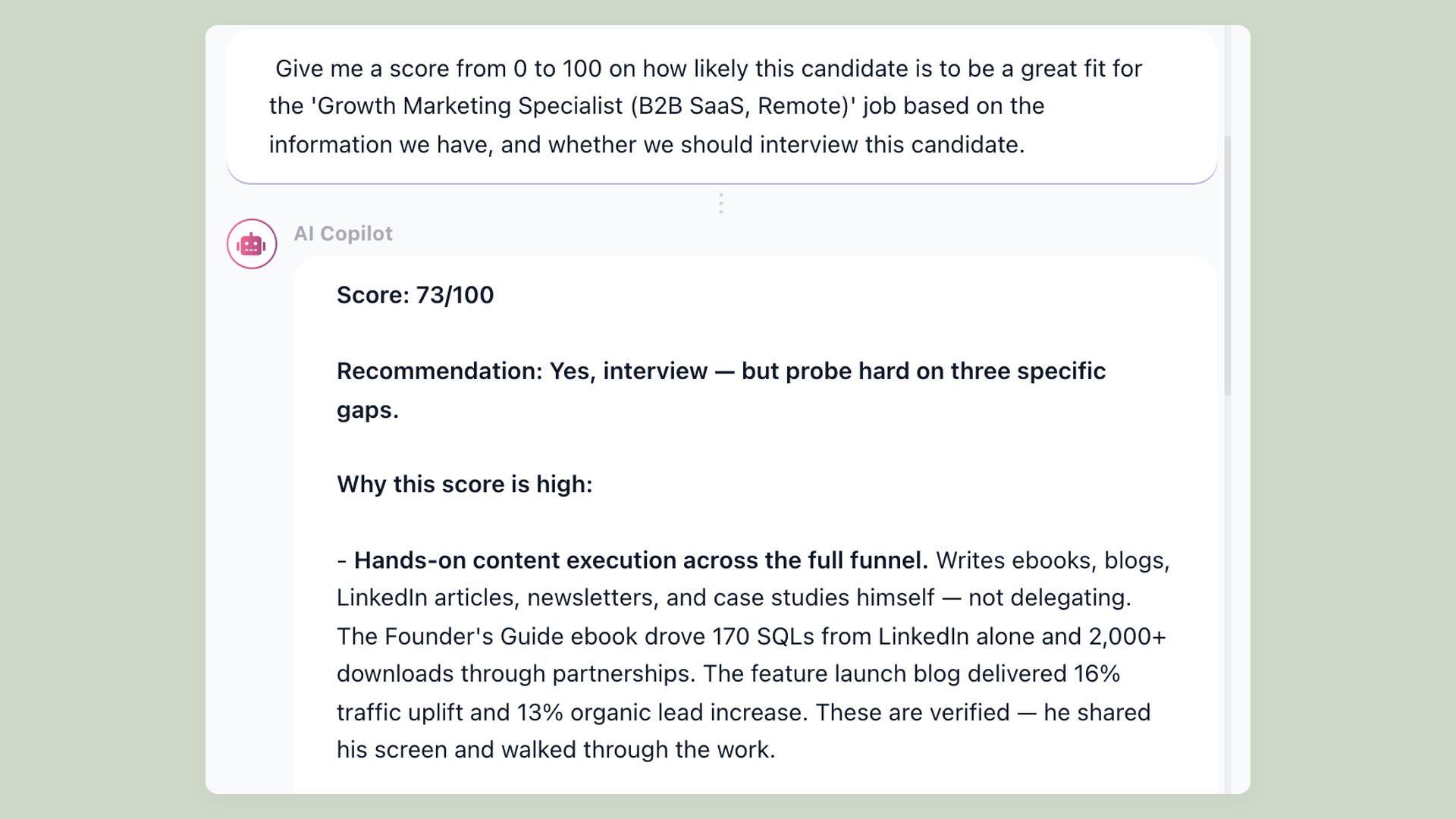
Summaries from notes (100Hires calls this AI Copilot), self-scheduling links, and source analytics round out the list.
The results are measurable when deployed with care. On the Recruiting Future podcast, Zapier's global head of talent described about 30% of hidden-gem candidates advancing after an AI screening pass, and a screening stage dropping from about eight days to just under three.
AI features to treat with caution
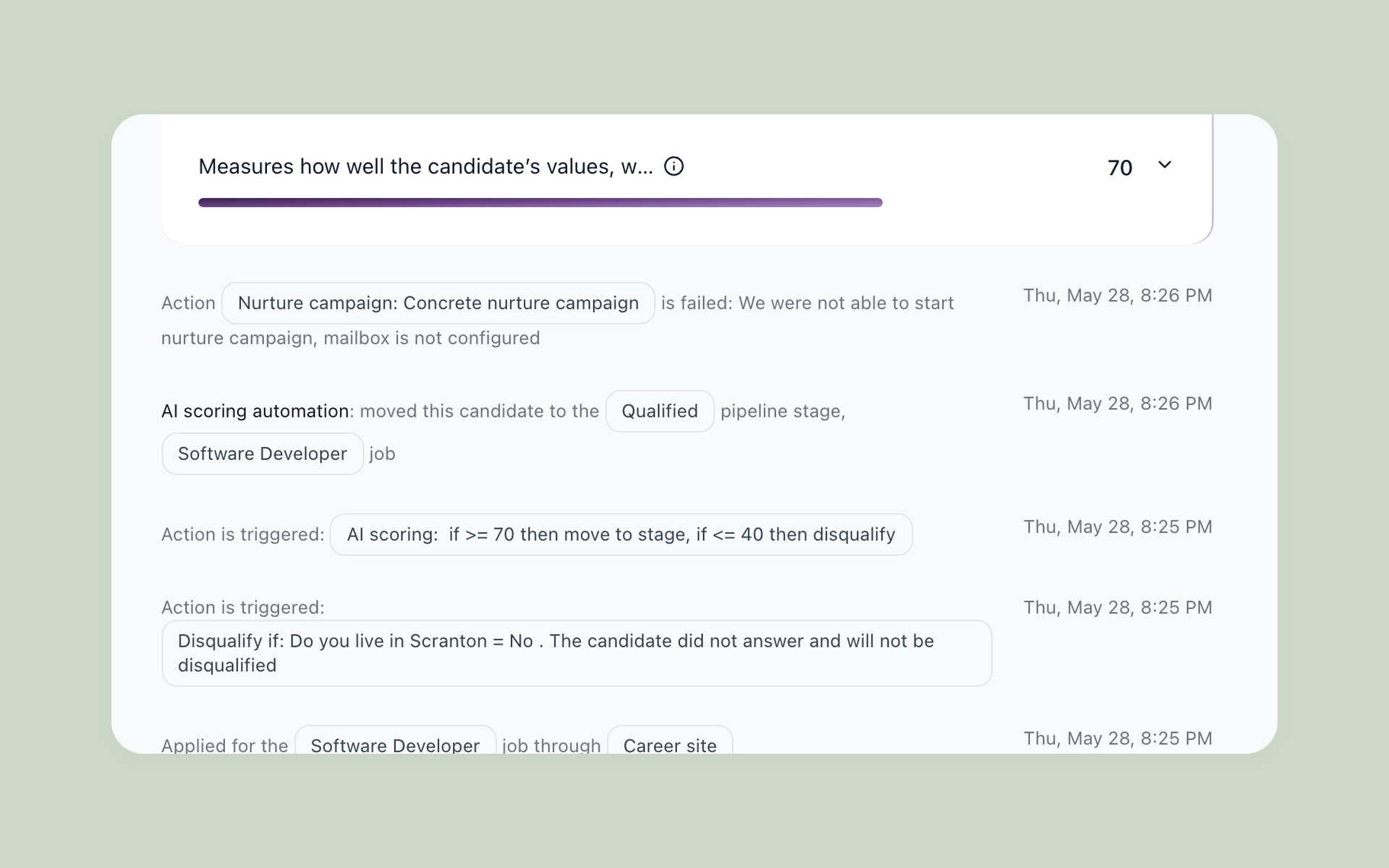
Auto-rejection without human review tops the caution list; it is where the legal exposure concentrates. Unexplainable match percentages come second, for the audit reasons above.
Watch the pricing fine print too. Workable's Agent AI bills per credit on top of your plan. Greenhouse gates AI features to its Plus tier and up. Manatal parks AI and API access on Enterprise Plus.
And in fairness: 100Hires caps AI operations per plan tier as well, from 100 monthly operations on Start to several thousand on Pro. Ask every vendor where AI usage lives in the bill.
How to choose an ATS: an 8-point checklist
The eight factors below are a quick-scan version. For the full step-by-step buying process, including a weighted demo scorecard and the questions to ask before you sign, see our complete guide to choosing an ATS.
1. Job-board distribution in one click. Posting the same job into five separate dashboards is the busywork an ATS should kill first. Check which boards are included free.
A bonus we see on demo calls: employers whose own Indeed account got stuck in verification can still reach Indeed through the ATS's partner feed.
2. Pipeline and collaboration. A kanban view, evaluation forms, and a hiring-manager experience that does not require training. The cautionary tale from recruiting forums: hiring managers at one enterprise shop taking 45 minutes to figure out where to leave interview feedback.
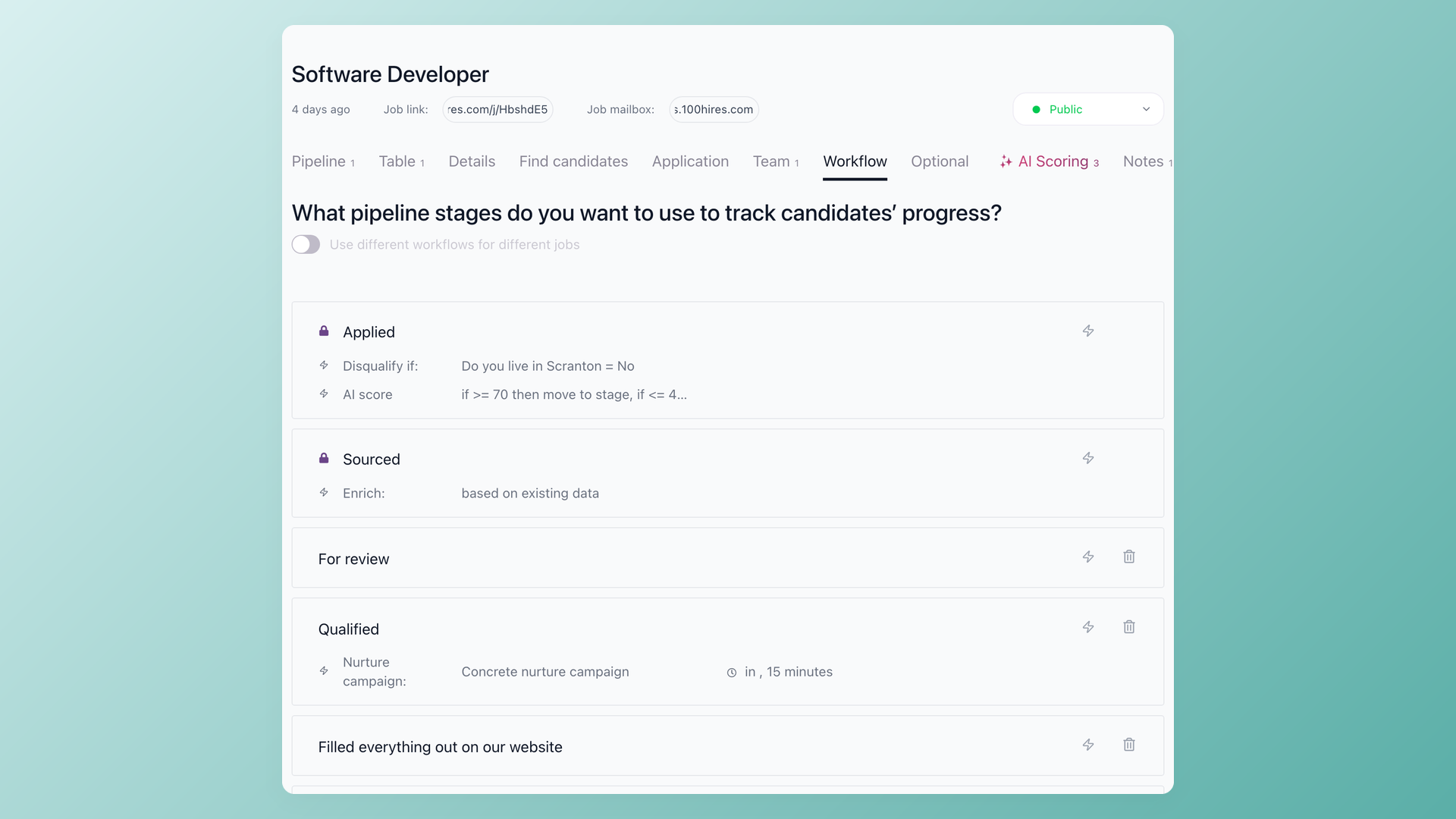
3. Transparent AI scoring. Covered above: your criteria, visible reasoning, human in the loop.
4. A pricing model that survives growth. Flat monthly, per user, or quote-only. Model your cost at twice your current team size before signing.
Recruiting communities are full of renewal stories: a seat-based repricing pushing one team's bill toward $28k, a quote arriving $6k above a competitor with no demo until price talk, incumbent systems raising rates on renewal.
5. Candidate experience. Apply-flow length, mobile behavior, no forced account creation, no retyping the resume into fields. Candidates now name and shame employers publicly for hostile apply flows; the most viral example is Workday's re-entry ritual.
Your ATS choice is part of your employer brand.
6. Implementation speed. Enterprise reviews describe roughly three-month launches. For SMB tools, expect to post a first job within a week; if you cannot, ask the vendor what still needs configuring. We wrote a full ATS implementation guide if you want the step-by-step.
7. Data portability. Confirm export access before you need it. Some vendors document imports lovingly and exports not at all, and a few charge for your own data. Our ATS data migration guide covers what to demand.
8. Integrations and email. Two-way Gmail or Outlook sync so candidate email lives in the system, calendar sync for scheduling, and a path to your HRIS on hire. See what native connections exist on our integrations page as a reference for what to ask any vendor.
One category note. HRIS suites like BambooHR and Rippling include recruiting modules, and the modules disappoint teams that hire seriously; recruiting is an afterthought next to payroll and benefits. If you hire a handful of people a year, the built-in module may be enough.
If hiring is constant, a dedicated ATS earns its keep.
How not to lose applicants when you switch to an ATS
A common switching risk no vendor page mentions: application volume can dip right after adopting an ATS. Recruiting forums document it, and the causes are fixable configuration details, not the software.
Verify syndication actually happened. Search your own jobs on Indeed and LinkedIn the day after publishing. Free feed slots differ from sponsored slots, and a job that silently failed to syndicate collects zero applicants for reasons nobody notices for weeks.
Cut the apply form to the bone. Every added required field costs completions. Let knockout questions filter after submission instead of making long forms filter before submission.
Test the mobile flow yourself, from a phone, start to finish. Keep old posting URLs redirecting to the new career site. And mind the notification tone: an automated rejection timestamped 4:30am reads exactly like what it is.
Batch communications into working hours, and personalize rejections for anyone who interviewed.
This is the checklist we run with every new 100Hires customer during onboarding, born from watching the misconfigurations that cost applicants. A well-built careers page plus verified syndication should grow applicant volume, not shrink it.
What does an ATS cost in 2026?
Three pricing models dominate, and the model matters more than the number.
Flat monthly plans: 100Hires from $49/mo billed annually ($99/mo month-to-month), JazzHR from about $83/mo billed annually, Breezy from $157/mo billed annually, Workable from $299. You know the bill before you sign.
Per-user plans: Zoho Recruit at $25 per recruiter and Manatal at $15 per user, both cheap until the hiring team grows or the features you need live two tiers up.
Quote-only: Greenhouse, Teamtailor, Pinpoint, and most enterprise systems, where the real number arrives by email after a demo.
For calibration: in public LinkedIn discussions, HR practitioners comparing notes put typical small-business ATS spend between a few hundred dollars and around $3,000 per year. Enterprise contracts run one to two orders of magnitude higher.
The hidden costs hide in five predictable places. Implementation fees: enterprise systems often charge four or five figures before you post a job; SMB tools usually include onboarding free.
Annual-only contracts: a monthly sticker price that is billed yearly is a 12-month commitment wearing a disguise. Confirm the actual billing cadence.
Seat repricing at renewal: the pricing model that felt fine at signing gets recalculated when your hiring-manager count grows. This is where the renewal-shock stories in recruiting communities come from.
AI usage billed as credits: an add-on meter can quietly outgrow the base subscription during a heavy hiring quarter. Model a busy month, not an average one.
Paid data export: a few vendors document imports generously and charge for getting your own candidates back out. Ask for the export policy in writing before signing anything.
We publish every 100Hires number on our transparent ATS pricing page, annual discounts included. If a vendor will not show you a price without a call, you have learned something about the renewal conversation too. Try 100Hires free and compare for yourself.
FAQ
What does ATS mean in recruitment and HR?
In recruitment, ATS stands for applicant tracking system: software that collects every application, tracks candidates through pipeline stages, and logs hiring decisions. HR teams sometimes list the same tool as HR ATS or ATS HR in their software stack. 100Hires tracks the process from job posting through offer.
What are the top 5 applicant tracking systems?
It depends on company size. For SMB in-house teams, the strongest 2026 shortlist is 100Hires (named best ATS for startups and small businesses by Forbes Advisor), Breezy HR, Zoho Recruit, Workable, and Teamtailor. Enterprise teams shortlist Greenhouse and Ashby instead. The full comparison table above shows verified pricing for all ten.
Does an ATS automatically reject resumes?
No. The only automated rejection an ATS performs is a knockout question a recruiter configured deliberately, such as a required certification. There is no hidden keyword filter silently deleting resumes. 100Hires goes a step further and can route knockout answers to a review queue, so a human confirms edge cases instead of the system auto-rejecting.
What is a good ATS score?
There is no universal ATS score. Paid resume checkers invented that number to sell scans; no recruiter sees a standardized score next to your name. Scoring inside real systems is employer-specific: 100Hires' AI Score, for example, ranks applicants against criteria the hiring team defines per job, and the team can read the reasoning behind every score.
Do recruiters really use an ATS?
Yes, and adoption keeps widening. Nearly every enterprise runs one, and SMB adoption is the growth frontier: most 100Hires demo calls start with a team migrating off spreadsheets and shared inboxes once they cross three to five simultaneous openings.
What is the difference between an ATS, a recruiting CRM, and an HRIS?
An ATS manages applicants for open jobs. A recruiting CRM manages relationships with people who have not applied yet, like sourced prospects and past candidates. An HRIS manages employees after the hire: payroll, benefits, time off. 100Hires sits in the ATS category with CRM-style talent pools built in, and hands off to your HRIS at hire.
How long does it take to implement an ATS?
SMB systems launch in days; enterprise systems run about three months. 100Hires setup takes around 15 minutes to first job post, though importing historical candidate data and tuning workflows realistically takes a week or two. Our ATS implementation guide covers the full sequence.
Is ATS software worth it for a small business?
Worth it once you pass roughly three to five open roles at a time or hire year-round; below that, spreadsheets survive. At the tipping point, screening time alone (15 hours per cycle in our worked example above) usually costs more than an entry plan like 100Hires Start at $49/mo billed annually ($99/mo month-to-month).
Try 100Hires for free
No credit card. 14-day trial. Forbes Advisor #1 ATS for SMBs.

